Put your team in the spotlight with enriched profiles
Learn how to invite your team members to create professional profiles that boost your business’s credibility, and attract more clients.
In this article
What are team member professional profiles?
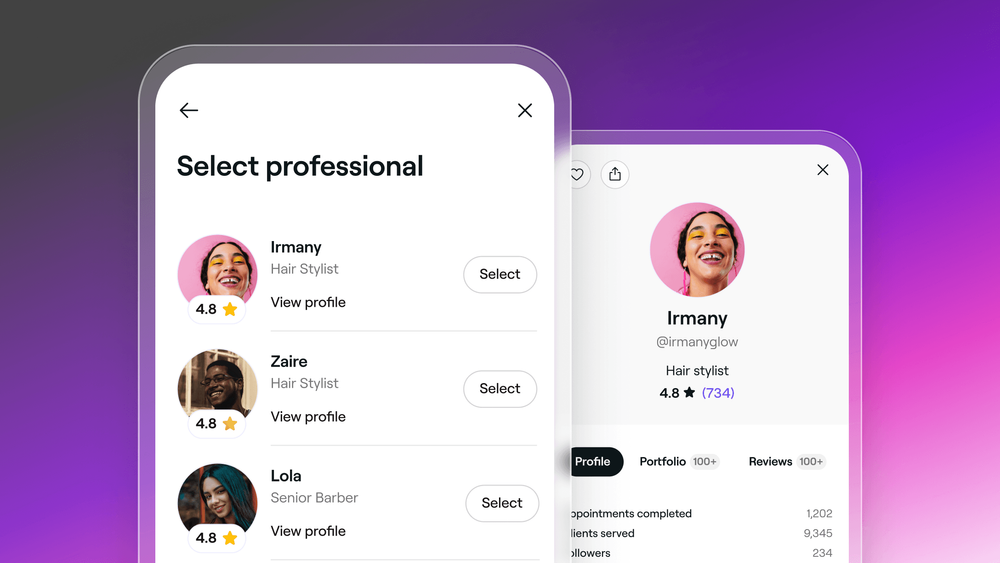
Professional profiles on Fresha give your team members a dedicated space to showcase their work and connect directly with new and existing clients. Whether you're a business made up of hairstylists, beauty therapists, or fitness coaches, professional profiles highlight your team's skills and services, helping your business stand out in the Fresha marketplace.
Professional profiles are be visible to clients throughout their booking journey and even after their appointment. Clients are able to explore your team’s profiles in three key stages:
-
When booking an appointment with you
To enrich the booking experience, clients can not only choose the professional providing their service but also view their profile to get a genuine sense of who will be treating them.

-
In their appointment details
After selecting their professional and confirming the booking, clients can review their appointment details and browse the selected team member’s portfolio, giving them a preview of the style and quality they can expect.
-
On your Fresha marketplace venue
When clients browse your Fresha marketplace venue, they can click on any of your bookable team members to open their professional profile.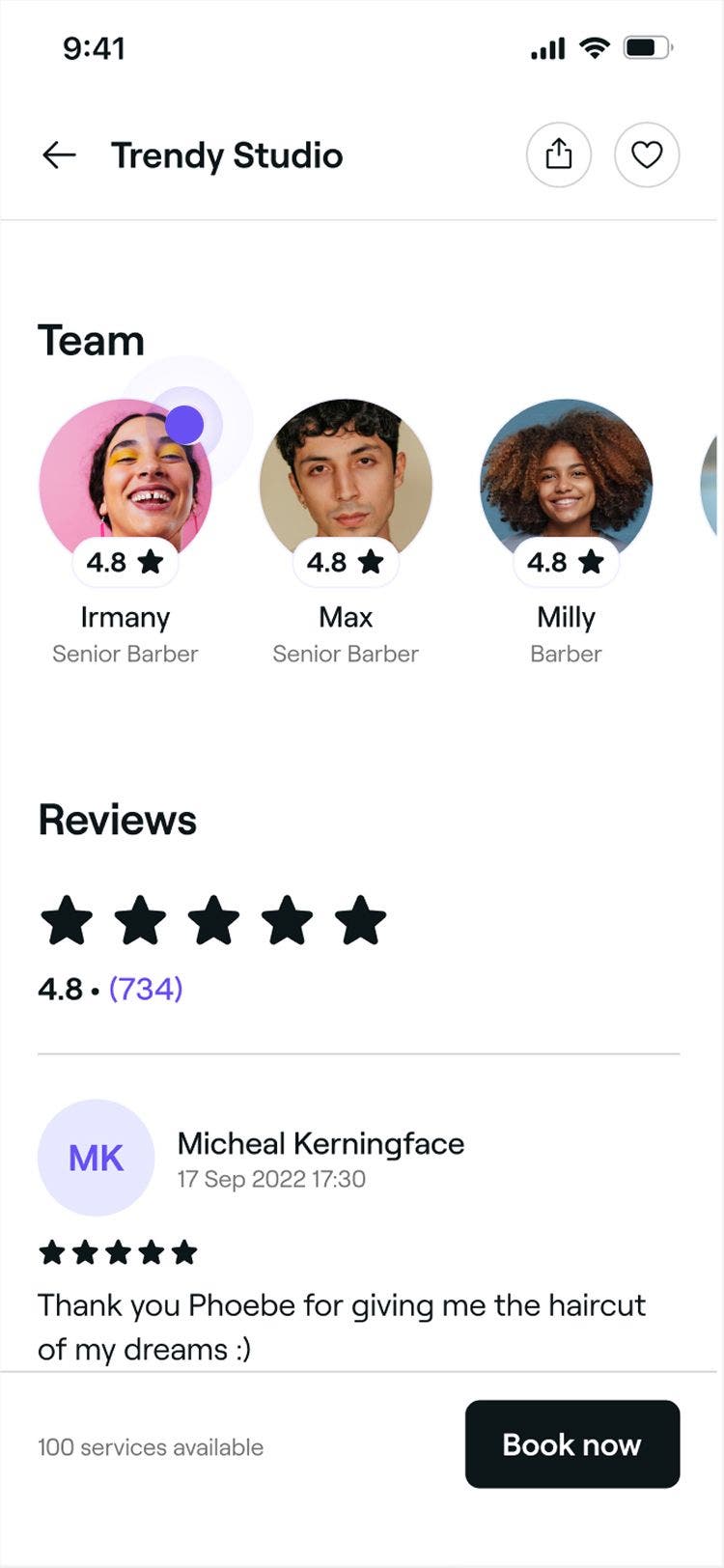
Clients can tap the heart icon in a team member profile to add the professional to their favorites, making it easy to book with them again in the future. Clients can find their favorited professionals and venues in the Favorites tab of their Fresha account.
How this benefits your business
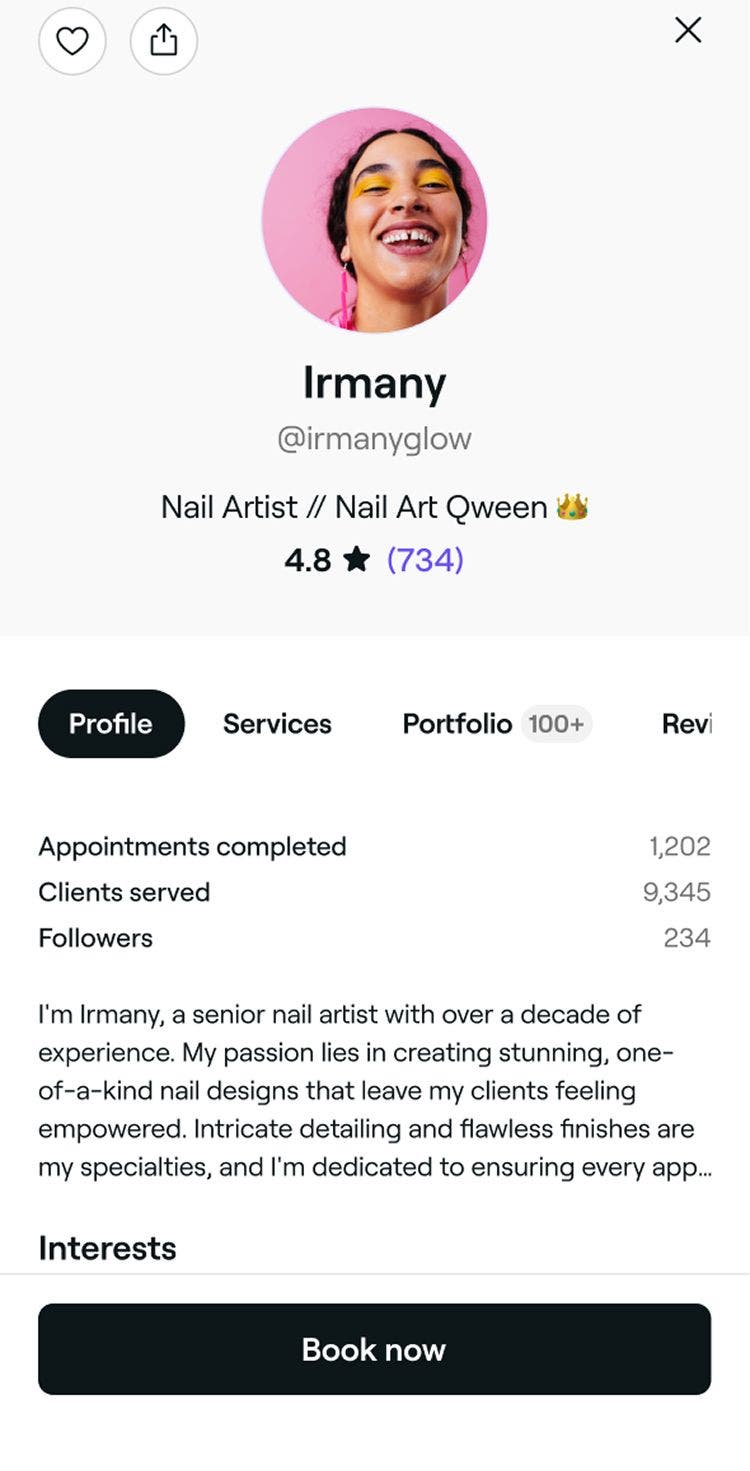
Each team member’s professional profile is a powerful marketing tool that attracts and inspires clients. It gives your team the opportunity to promote both themselves and your business by highlighting their:
Profile
Showcase the person behind the service. Team members can share their story, interests, languages, and social media links, building trust and connection before clients even book.
Services
Put their expertise front and center. Each profile highlights the services they’re qualified to perform for your business, making it easy for clients to choose the right professional.
Reviews
Highlight the impact of glowing reviews. Every review and star rating a team member earns is proudly displayed, helping build credibility and encouraging bookings.
Professional profile portfolio
Bring talent to life with a visual gallery. Team members can upload photos of their work to create a lasting gallery that showcases their craft and inspires clients to book with confidence.
When your team members upload service images to their individual professional portfolios, you can choose to feature them in your Fresha marketplace venue page. This helps showcase the full range of talent at your business.
You can manage which images appear from your Online profile content settings.
What to do next?
For your team:
- Invite your team
Send invites to your team members to join your workspace so they can create their own professional profiles. - Help them shine
Encourage team members to personalize their profiles with a photo, bio, and interests. - Showcase their skills
Motivate team members to upload photos of their best work and build eye-catching professional portfolios that highlight their talent. They can use our handy guide to create a profile that stands out.
For your business:
- Polish your profile
Clients love to know who’s behind the business. Refresh your professional profile by updating your photo, interests, and bio to make a great impression. - Update your treatments
Keep your service menu clear, organized, and up to date. Use our guide to help you optimize your treatment list for maximum impact. - Refresh your venue images
Upload fresh, high-quality photos to make your marketplace profile stand out. Use our photography guidelines for tips on capturing your venue at its best.
We recommend updating each team member’s profile photo and job title. This means that even if they haven’t set up their professional profile, clients can still put a name to a face and a title to a person, helping your business make a great first impression.