HomeKnowledge baseFresha academy
Sales and checkout
  1. Knowledge base
  2. •
  3. Sales and checkout

Sales and checkout

Sales tools are crucial for maximizing profitability and ensuring smooth transactions in your business. They’re designed to help you manage payments, tips, taxes, and upselling opportunities effectively. Learn how to set up and use these tools to streamline your sales process and boost your revenue.

    • Point of sale
    • Tips, taxes and charges
    • Receipts
    • Sales setup
    • Point of sale integrations
    • Register

Point of sale

Raise a sale

Efficiently manage sales transactions for products, services, memberships, and gift cards.

Raise a sale

Efficiently manage sales transactions for products, services, memberships, and gift cards.

Apply Deals and discounts at checkout

Manage cart Deals and discounts to adjust totals at checkout.

Apply Deals and discounts at checkout

Manage cart Deals and discounts to adjust totals at checkout.

Refund a sale

Easily correct payment errors or offer compensation by refunding sales directly.

Refund a sale

Easily correct payment errors or offer compensation by refunding sales directly.

Unpaid and part-paid sales

Save sales without full payment and collect the remaining balance later.

Unpaid and part-paid sales

Save sales without full payment and collect the remaining balance later.

Create a draft sale

Save and edit sales anytime before checkout. Learn to create, manage, and complete draft sales.

Create a draft sale

Save and edit sales anytime before checkout. Learn to create, manage, and complete draft sales.

Collect payments using multiple methods

Enable clients to pay using multiple payment methods with Fresha's split payment feature.

Collect payments using multiple methods

Enable clients to pay using multiple payment methods with Fresha's split payment feature.

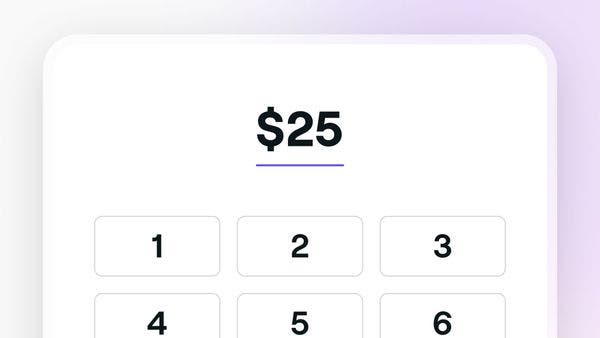
Collect quick payments

Easily process one-time payments from clients using Fresha's Quick Payment feature.

Collect quick payments

Easily process one-time payments from clients using Fresha's Quick Payment feature.

Edit a sale

Ensure accurate record-keeping and correct any errors by editing sales receipts.

Edit a sale

Ensure accurate record-keeping and correct any errors by editing sales receipts.

Void a sale

Keep your financial records accurate by voiding incorrect sales.

Void a sale

Keep your financial records accurate by voiding incorrect sales.

Tips, taxes and charges

Set up and manage taxes

Automatically calculate and manage tax contributions for your business with Fresha.

Set up and manage taxes

Automatically calculate and manage tax contributions for your business with Fresha.

Adjust taxes for individual services and products

Apply tax rates to individual services and products.

Adjust taxes for individual services and products

Apply tax rates to individual services and products.

Set up and manage service charges

Simplify checkout by setting up service charges to cover additional costs automatically.

Set up and manage service charges

Simplify checkout by setting up service charges to cover additional costs automatically.

Set up and manage tips

Set up tipping options to manage how tips are collected in your business.

Set up and manage tips

Set up tipping options to manage how tips are collected in your business.

How clients can leave tips

Understand how clients can leave tips for your business.

How clients can leave tips

Understand how clients can leave tips for your business.

Receipts

Customize your sales receipt

Manage your sales records by updating your receipt templates in Fresha.

Customize your sales receipt

Manage your sales records by updating your receipt templates in Fresha.

Manage receipt sequencing

Set receipt numbering to keep sales receipts organised and easy to track across locations.

Manage receipt sequencing

Set receipt numbering to keep sales receipts organised and easy to track across locations.

Share and print sale receipts

Share receipts with your clients after completing a sale or checking out an appointment.

Share and print sale receipts

Share receipts with your clients after completing a sale or checking out an appointment.

Sales setup

Set up quick sale items

Speed up transactions by setting up quick sale items for popular services and products.

Set up quick sale items

Speed up transactions by setting up quick sale items for popular services and products.

Manage custom checkout methods

Simplify the checkout process by offering clients multiple payment options.

Manage custom checkout methods

Simplify the checkout process by offering clients multiple payment options.

Point of sale integrations

Integrate Fresha with Mall GTO

Seamlessly transfer your daily sales data to mall providers with the Mall GTO integration.

Integrate Fresha with Mall GTO

Seamlessly transfer your daily sales data to mall providers with the Mall GTO integration.

Register

Set up your register

Simplify cash handling with Registers for cash flow, tips, petty cash, and floats, all in one place.

Set up your register

Simplify cash handling with Registers for cash flow, tips, petty cash, and floats, all in one place.

Manage your register

Take charge of every cash movement, from opening and closing to cash ins and cash outs.

Manage your register

Take charge of every cash movement, from opening and closing to cash ins and cash outs.

Here to help

Can't find an answer? We've got the solution. Find more support and connect with our team.

Fresha
Get the app

About Fresha

Careers

Help and support

Blog

Sitemap

For business

For partners

Pricing

Features

Scheduling

Point of sale

Payments

Capital

Marketplace

Support

Status

Legal

Privacy Policy

Terms of service

Terms of use

Find us on social

Facebook
Linkedin
Instagram

© 2026 Fresha.com SV Ltd