Set up AI Concierge replies on Client Connect
Learn how to use AI Concierge to manage your client chats in Client Connect, from answering questions to booking appointments.
About AI Concierge in Client Connect
With unlimited replies, your AI Concierge replies to all messages in Client Connect, so every client gets a quick, accurate answer. Conversations are customer-initiated, and AI Concierge responds on your behalf, closing the conversation once it's resolved. When a request falls outside what AI Concierge can handle, or a client asks to speak to a human, it notifies a team member to take over the conversation.
Every interaction is visible in the AI Concierge activity log and in Fresha Connect, giving you full visibility into what's been handled. You can take over any conversation at any time, and as soon as you reply, AI Concierge stops responding so you can continue the conversation yourself.
Manage AI concierge channels
Choose whether AI concierge replies on phone, chat, or both. AI Concierge uses the same name and knowledge base, and escalation rules across both channels.
-
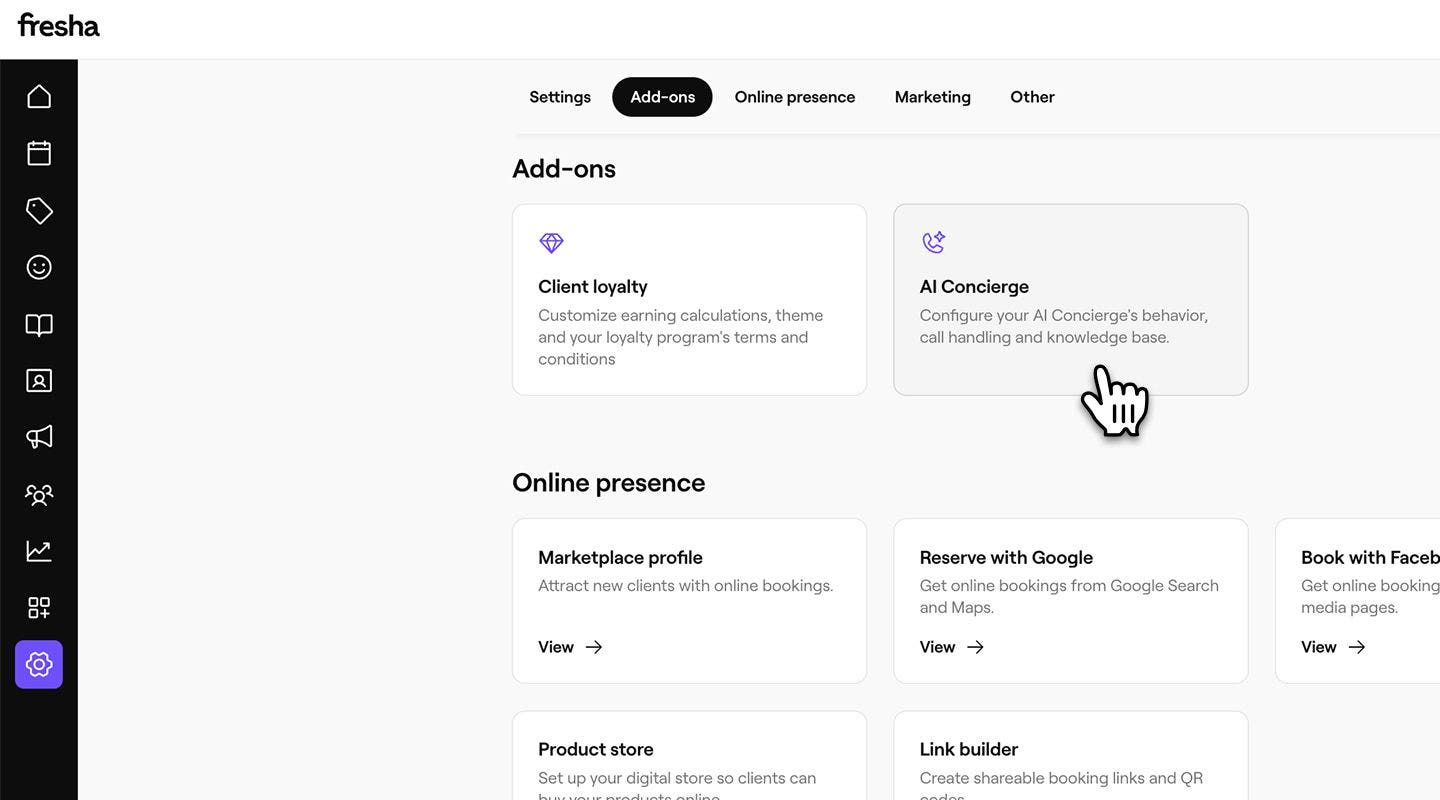
From the main menu on the left of your screen, go to Settings.
-
In the Add-ons section, click on AI Concierge to update your settings.
-
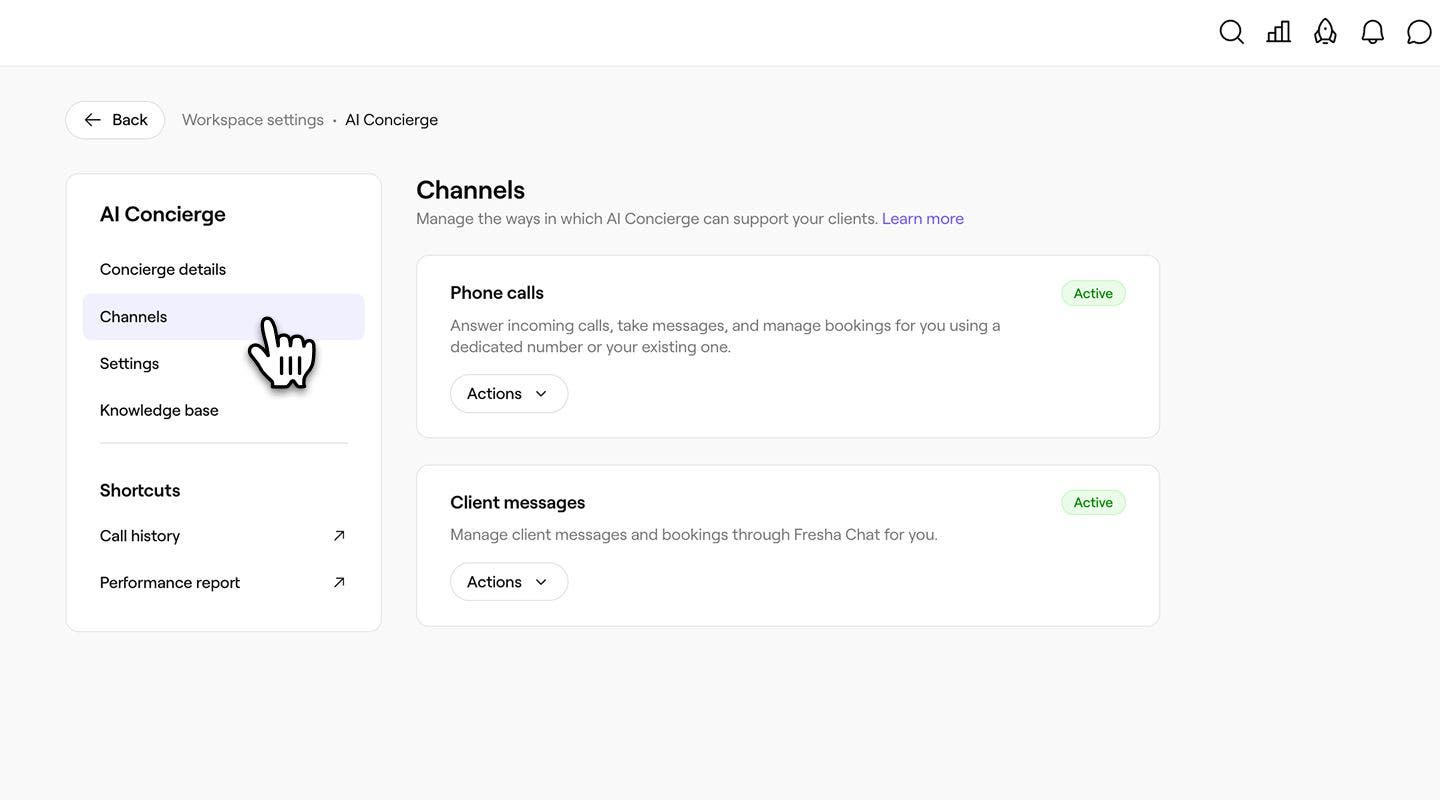
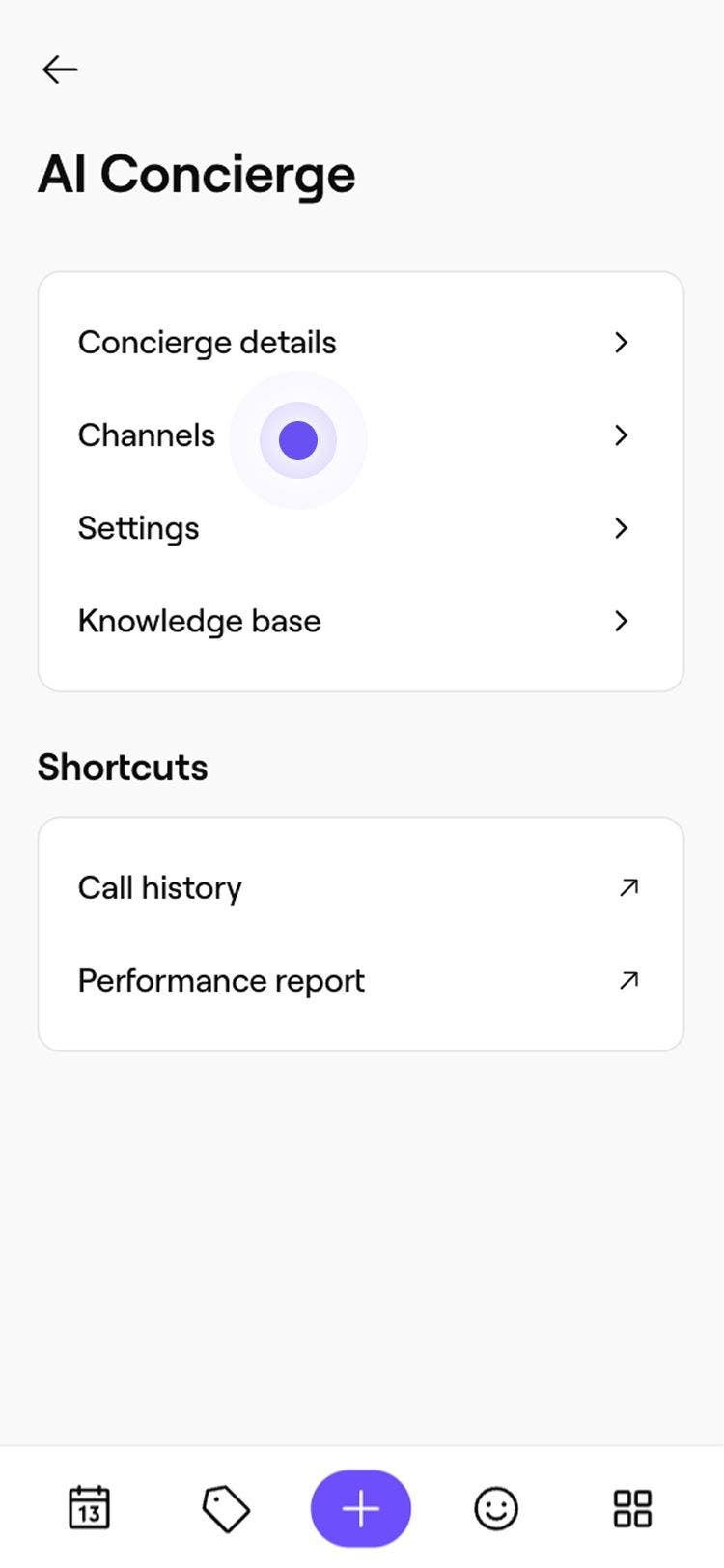
From the menu on the left panel, select Channels to manage the ways AI concierge supports your clients.
-
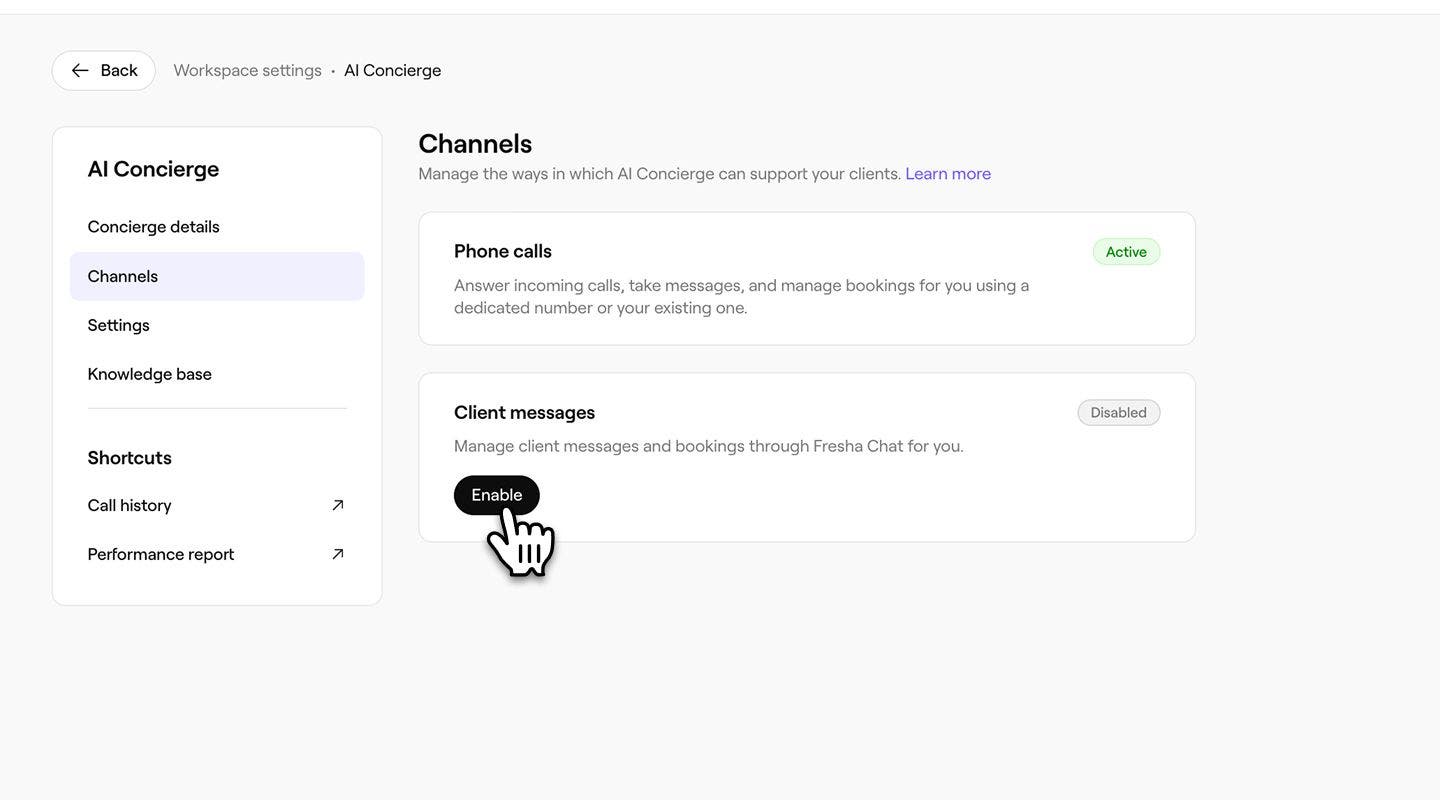
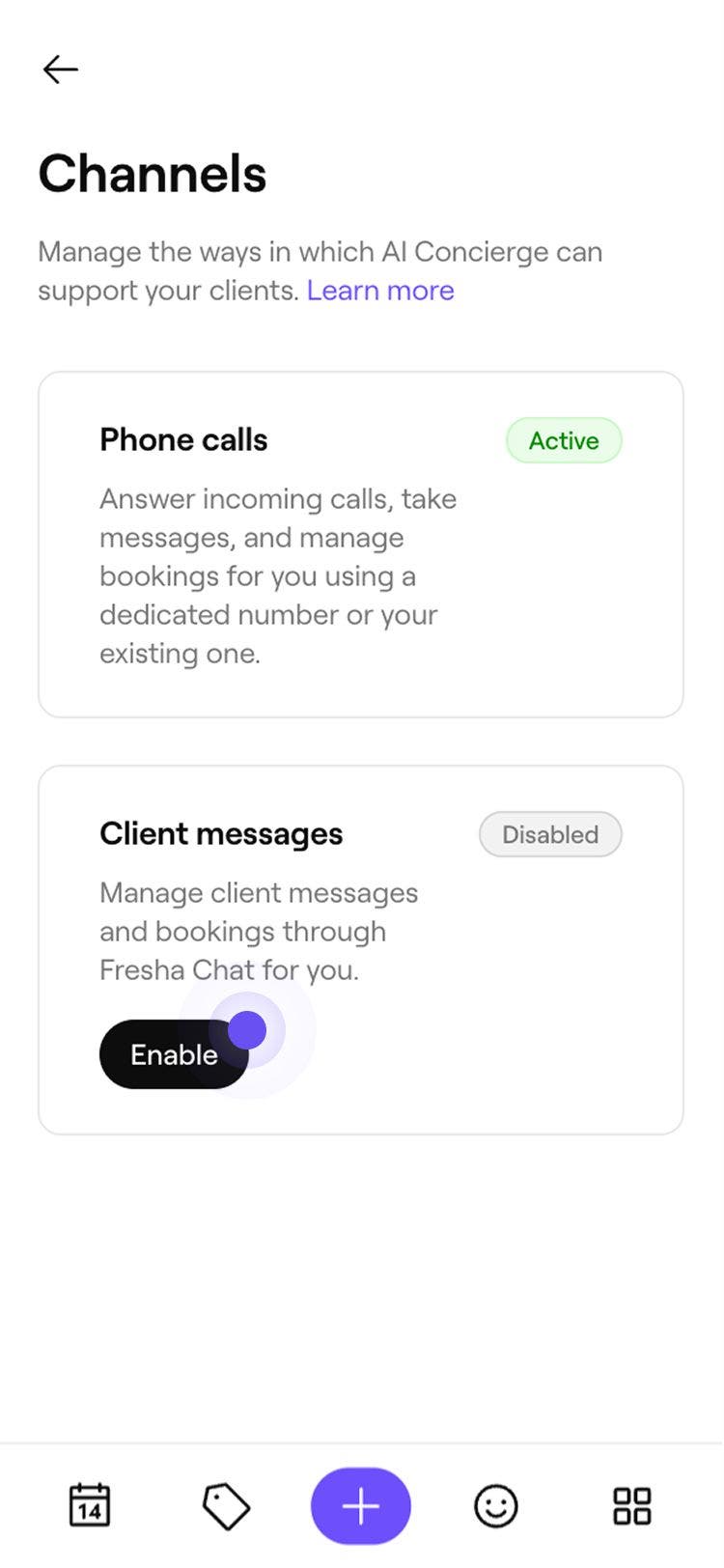
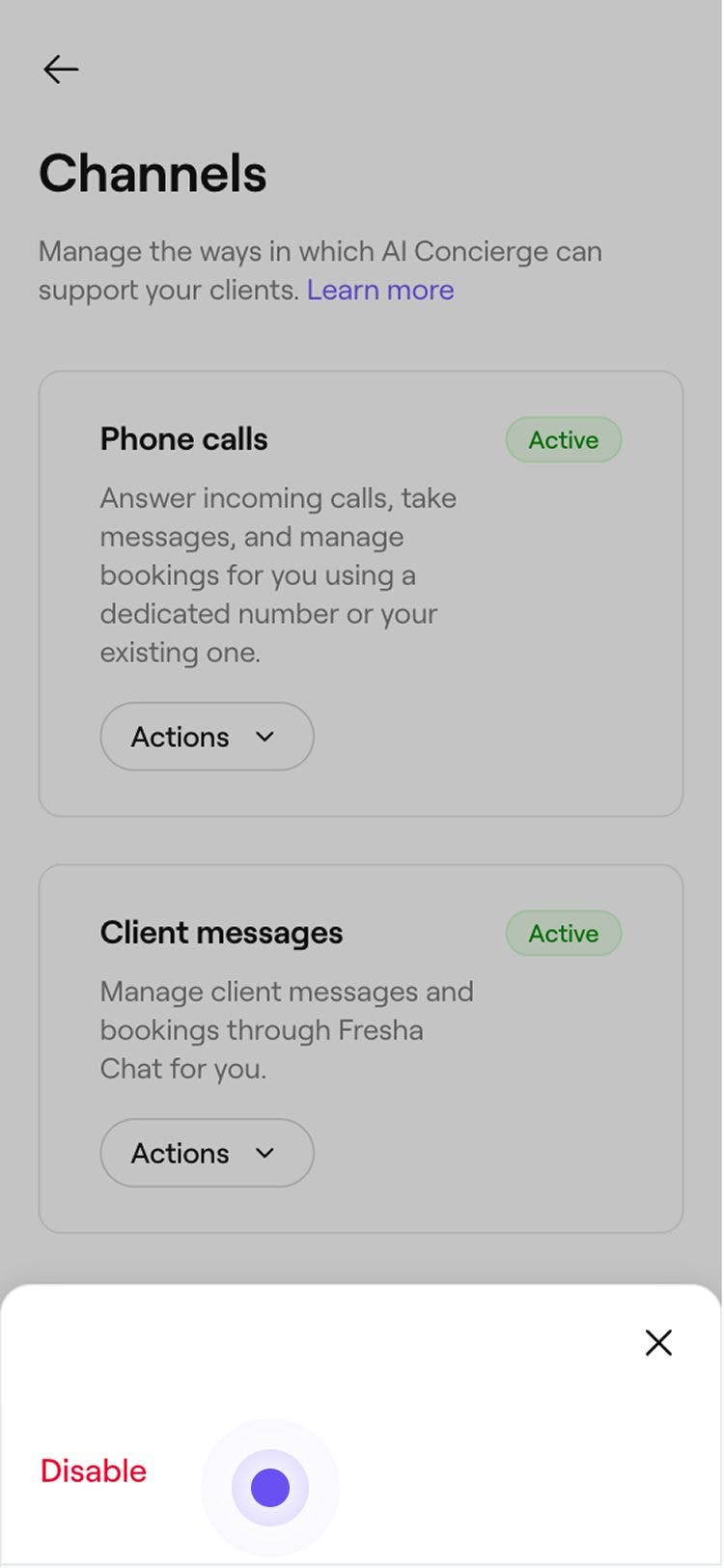
Under Phone calls or Client messages, and select one of the following options:
- Enable phone calls: Click on the Enable button to start the AI Concierge setup flow. Once you complete setup, AI Concierge starts handling your phone calls.
- Enable client messages: Click on the Enable button to turn on AI Concierge for chat. You'll see a page outlining what AI Concierge will handle, and no extra setup is needed because chat uses the same settings as phone.
- Disable: Click on the Actions button, then select Disable. Click on the Disable button in the pop-up to confirm. AI Concierge will stop responding on that channel, and any new messages or calls will come straight to your team.


FAQs
- Share your services, prices and business details, such as your location, opening hours and anything in your knowledge base.
- Book, reschedule and cancel appointments, following your online booking settings and schedule availability.
- Let a team member know when a client asks for a person or needs help it can’t give.
AI Concierge sends instant, personalized replies to client messages through Client Connect, using information from your Fresha account to answer questions and help with bookings. It can: