HomeKnowledge baseFresha academy
Add to your AI Concierge knowledge base
Back
  1. Knowledge base•
  2. AI Concierge•
  3. Add to your AI Concierge knowledge base

Add to your AI Concierge knowledge base

Learn how to add answers to common client questions to your AI Concierge's knowledge base, helping it respond confidently to every inquiry.

About your AI Concierge knowledge base

Your AI Concierge connects directly to your workspace, with access to your services, schedule, and client list, allowing it to confidently handle client bookings.

To deliver a more personalized experience, it also uses information from your knowledge base. You can add your own answers to frequently asked questions from clients, such as parking, pricing, or what to expect when visiting your business.

Add FAQ’s to your AI Concierge knowledge base

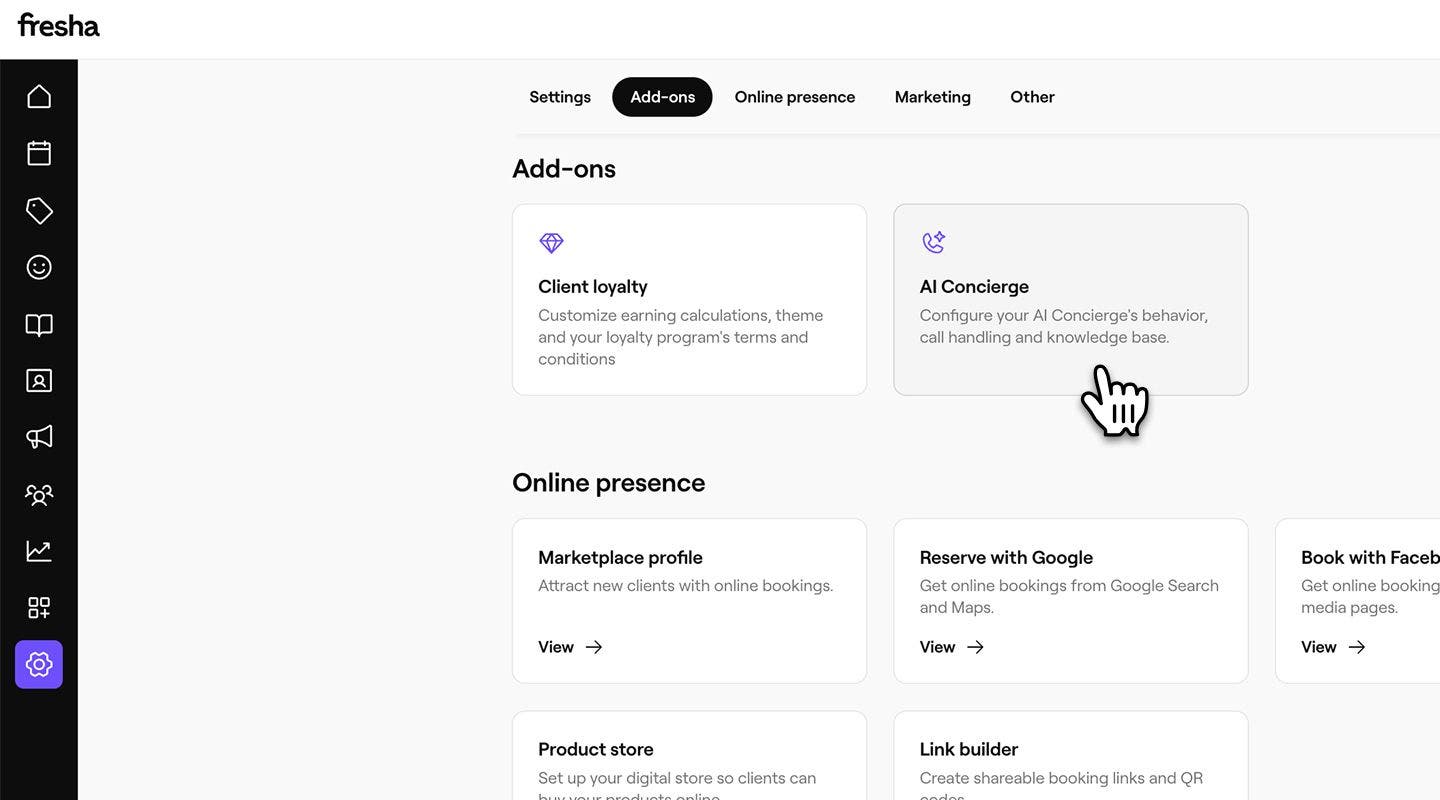
  1. From the main menu on the left of your screen, go to Settings.
  2. In the Add-ons section, click on AI Concierge to update your settings. knowledge_base_web_2.jpg
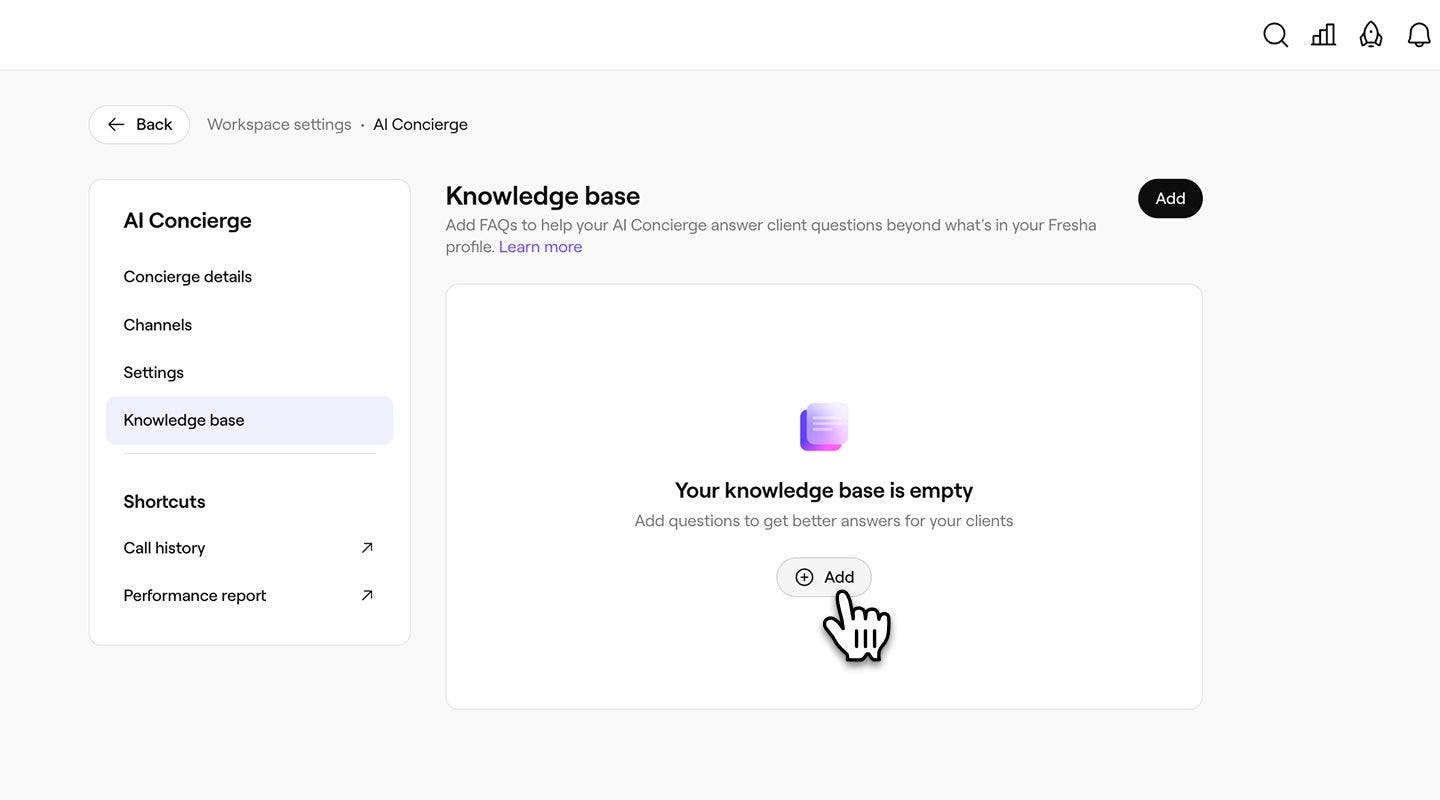
  3. From the left menu panel, select Knowledge base to add to your AI Concierge's FAQ’s.
  4. Click on the Add button to start building your knowledge base. knowledge_base_web_4.jpg
  5. Enter your Question, or use any of the suggested questions displayed. knowledge_base_web_5.jpg
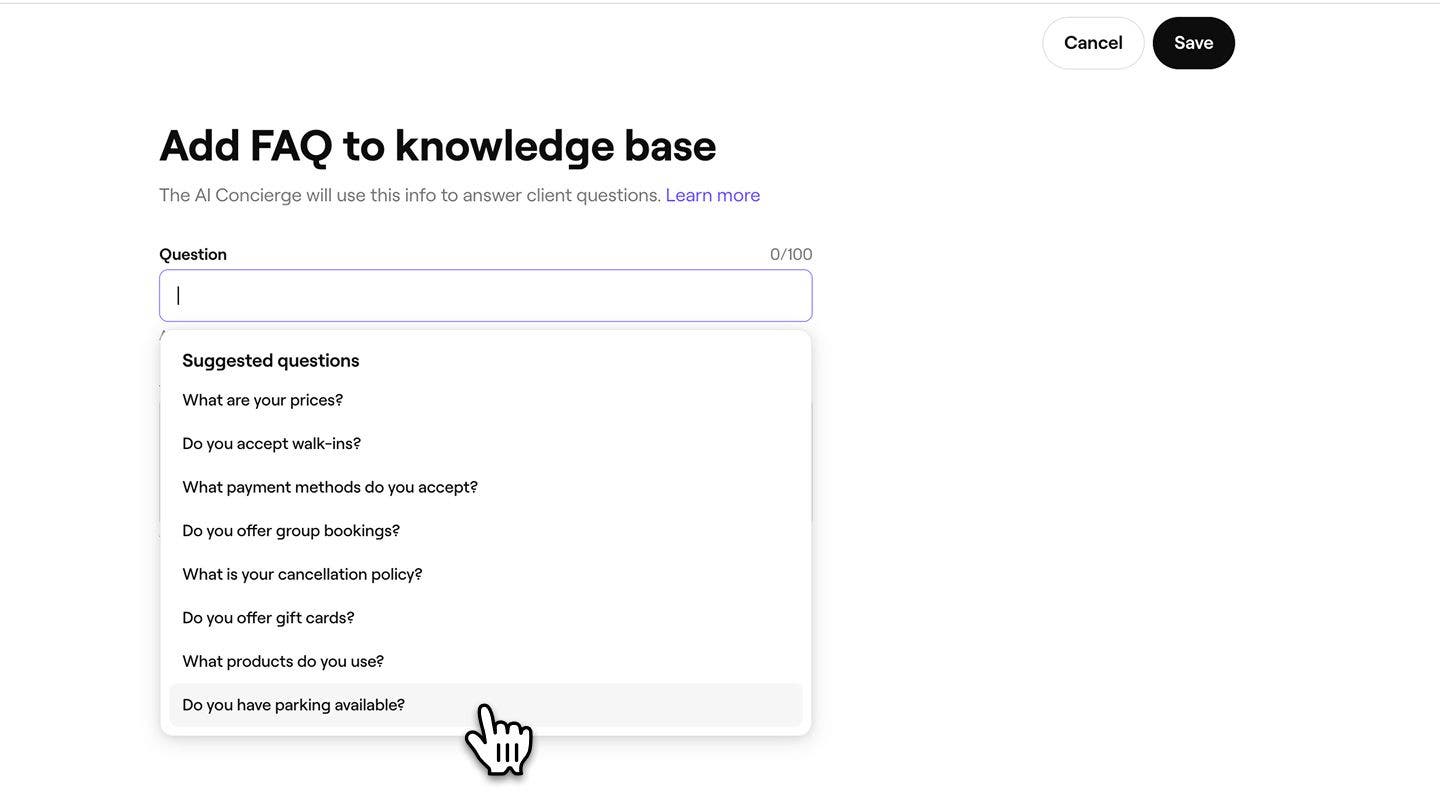
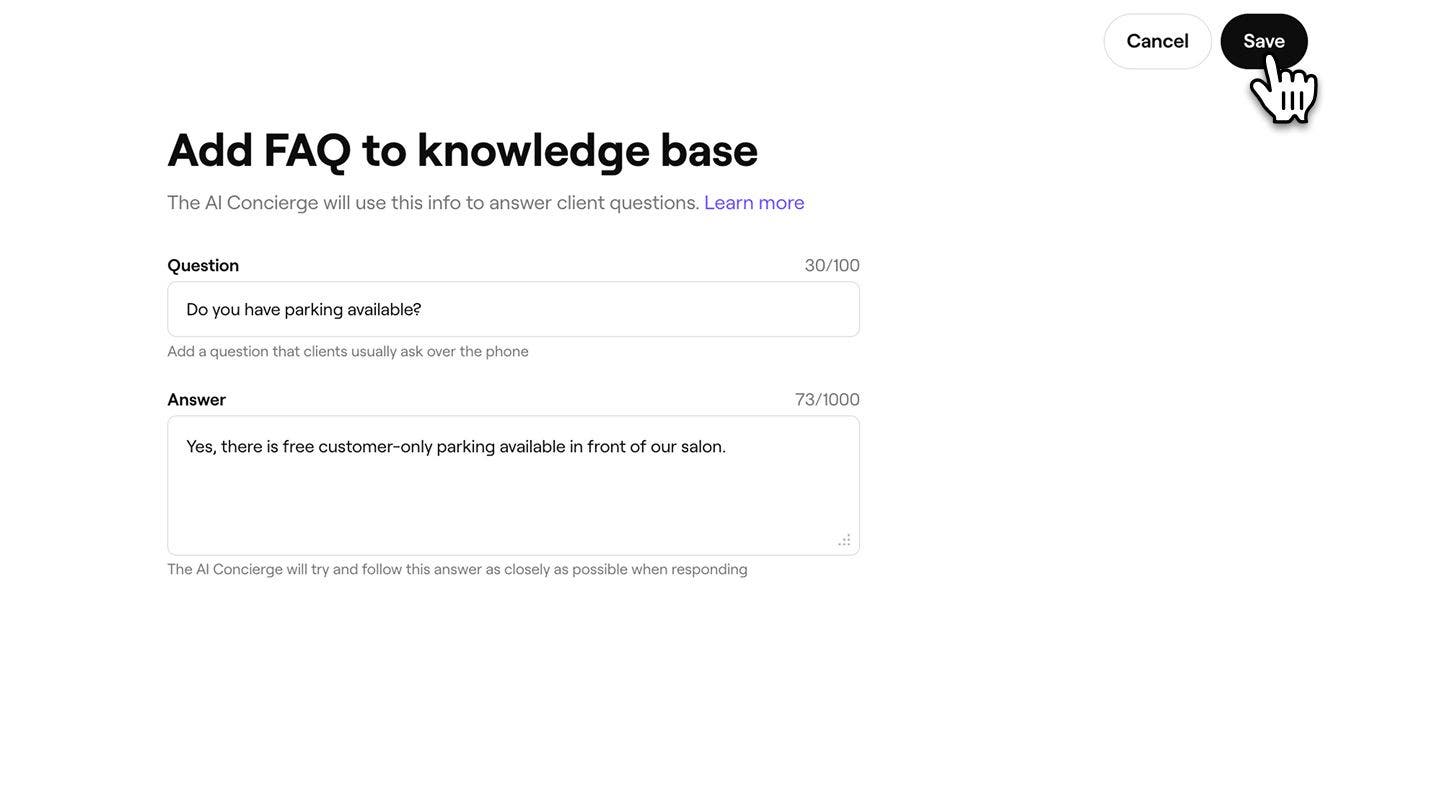
  6. Provide the Answer to the question above, your AI Concierge will try and follow this answer as closely as possible when answering the client.
  7. Click on Save in the top right of your screen to add the FAQ to your AI Concierge knowledge base. knowledge_base_web_7.jpg
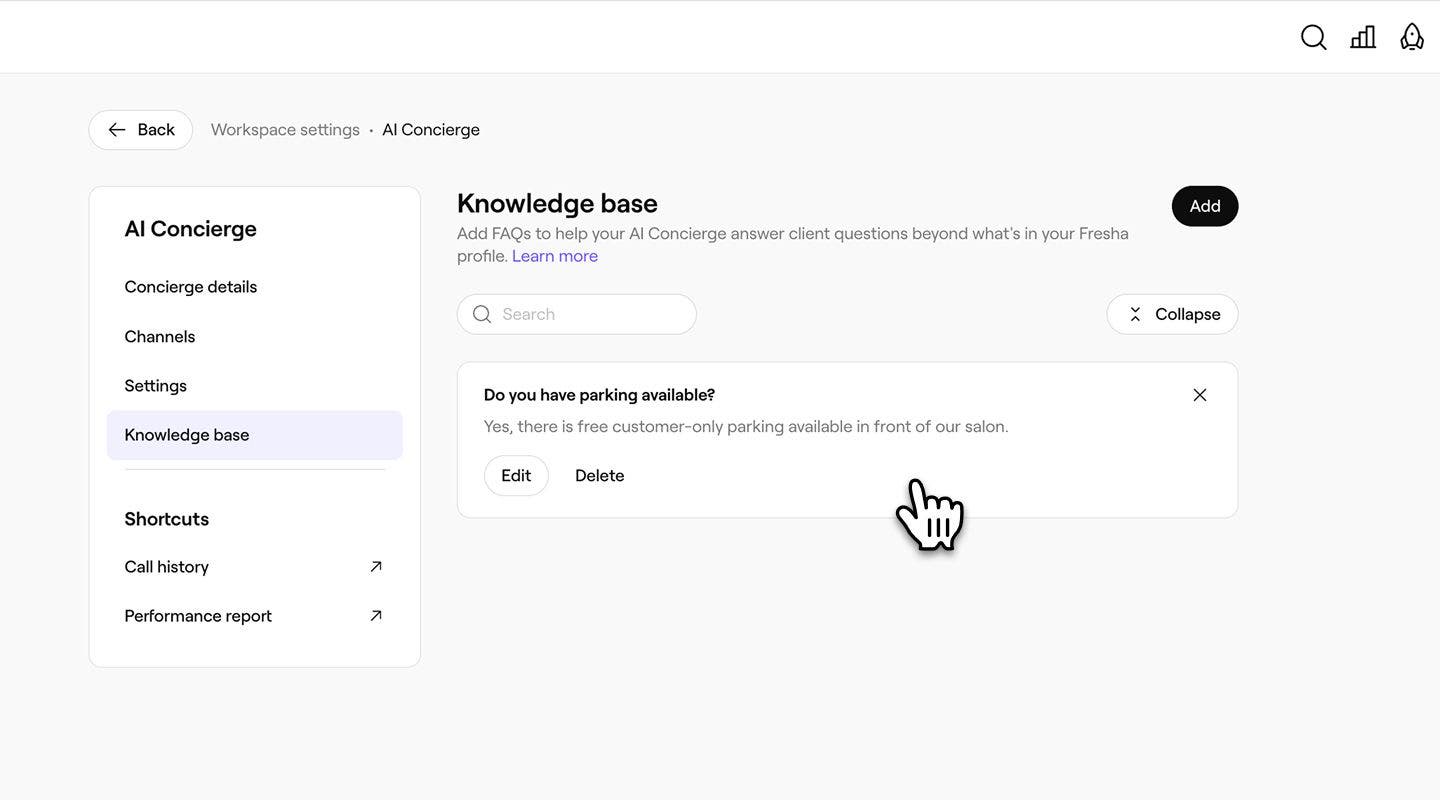
  8. You will see the FAQ recorded in your Knowledge base list for your reference. knowledge_base_web_8.jpg
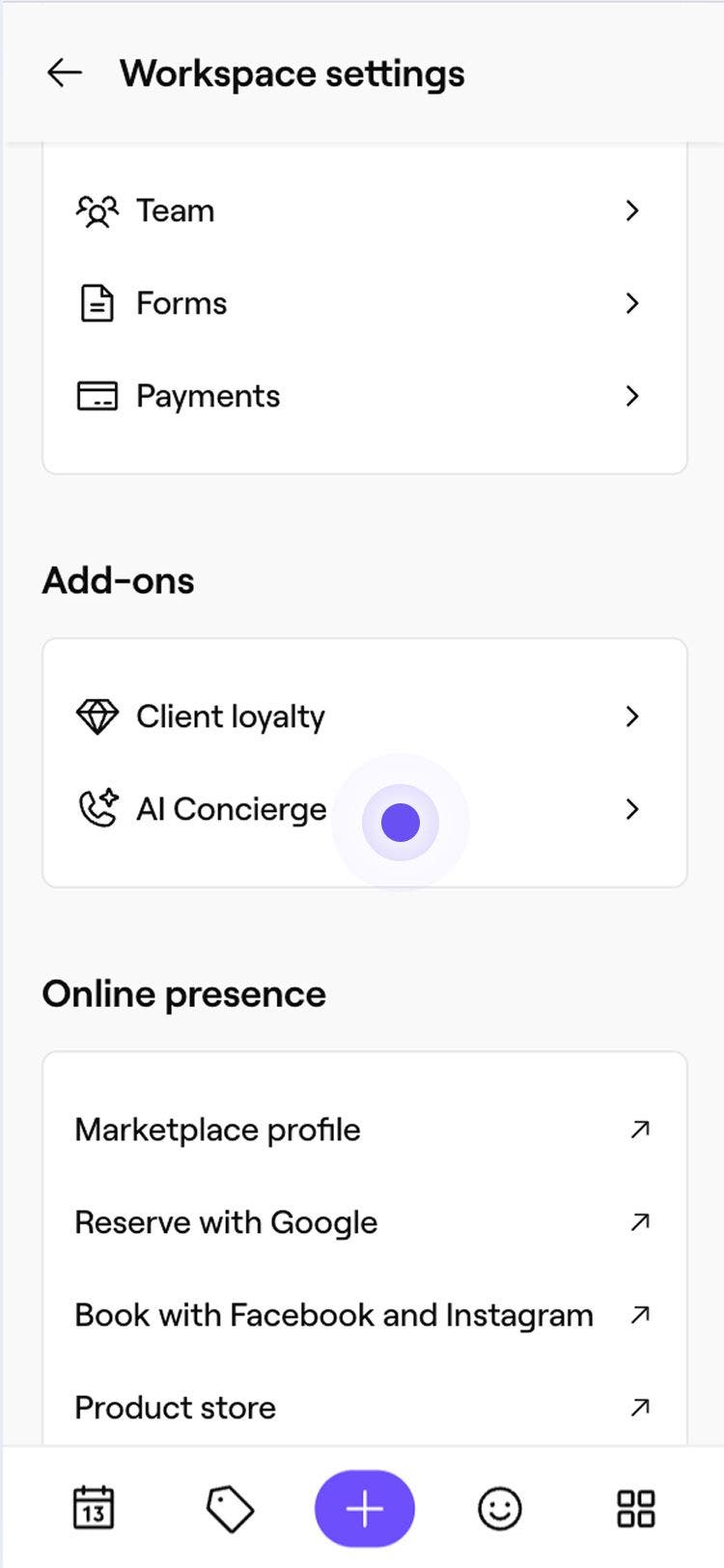
  1. From the main menu at the bottom of your screen, tap on More (grid icon) and open Settings.Group 31281.jpg
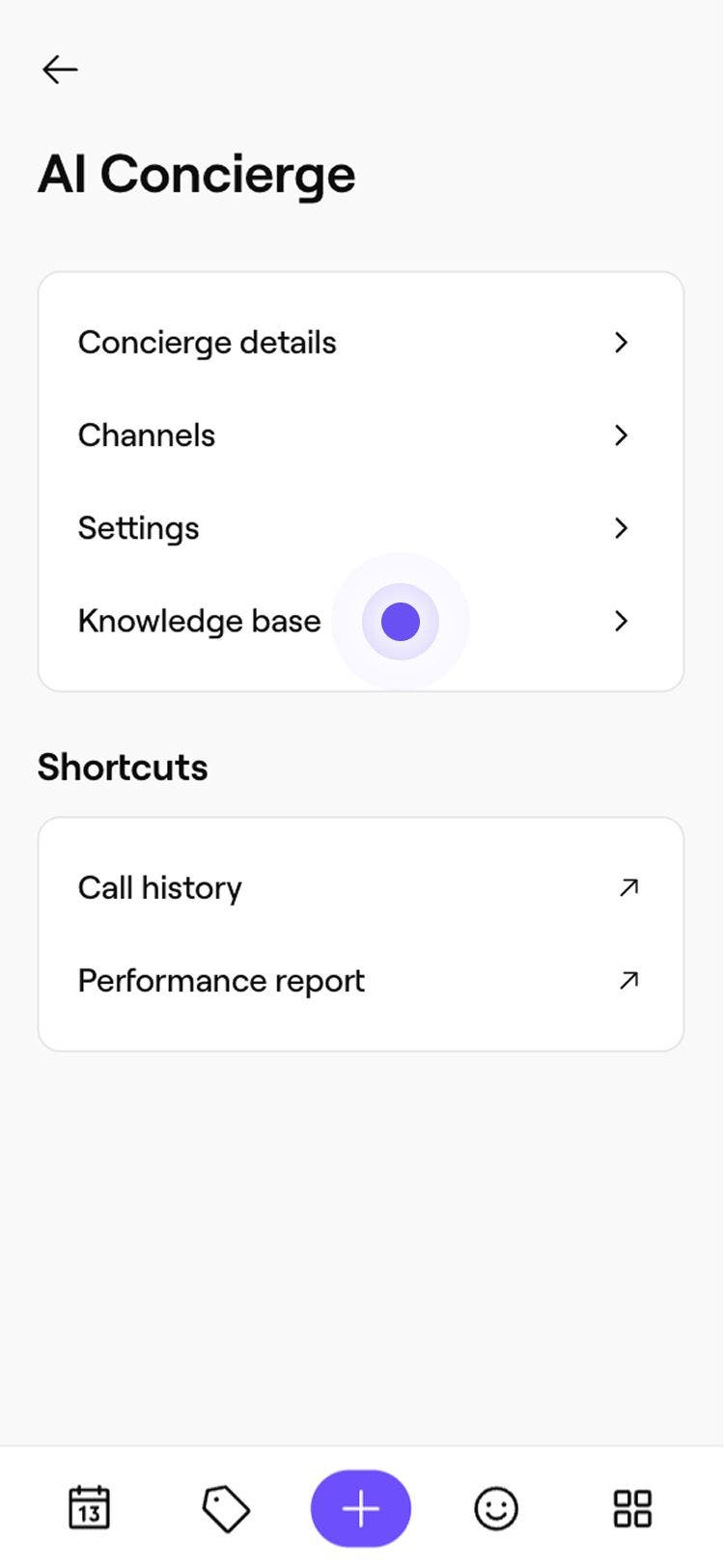
  2. Under Add-on's, tap on AI Concierge to view your AI Concierge details. knowledge_base_mob_2.jpg
  3. Tap on Knowledge base from the menu to update your AI Concierge FAQ's. knowledge_base_mob_3.jpg
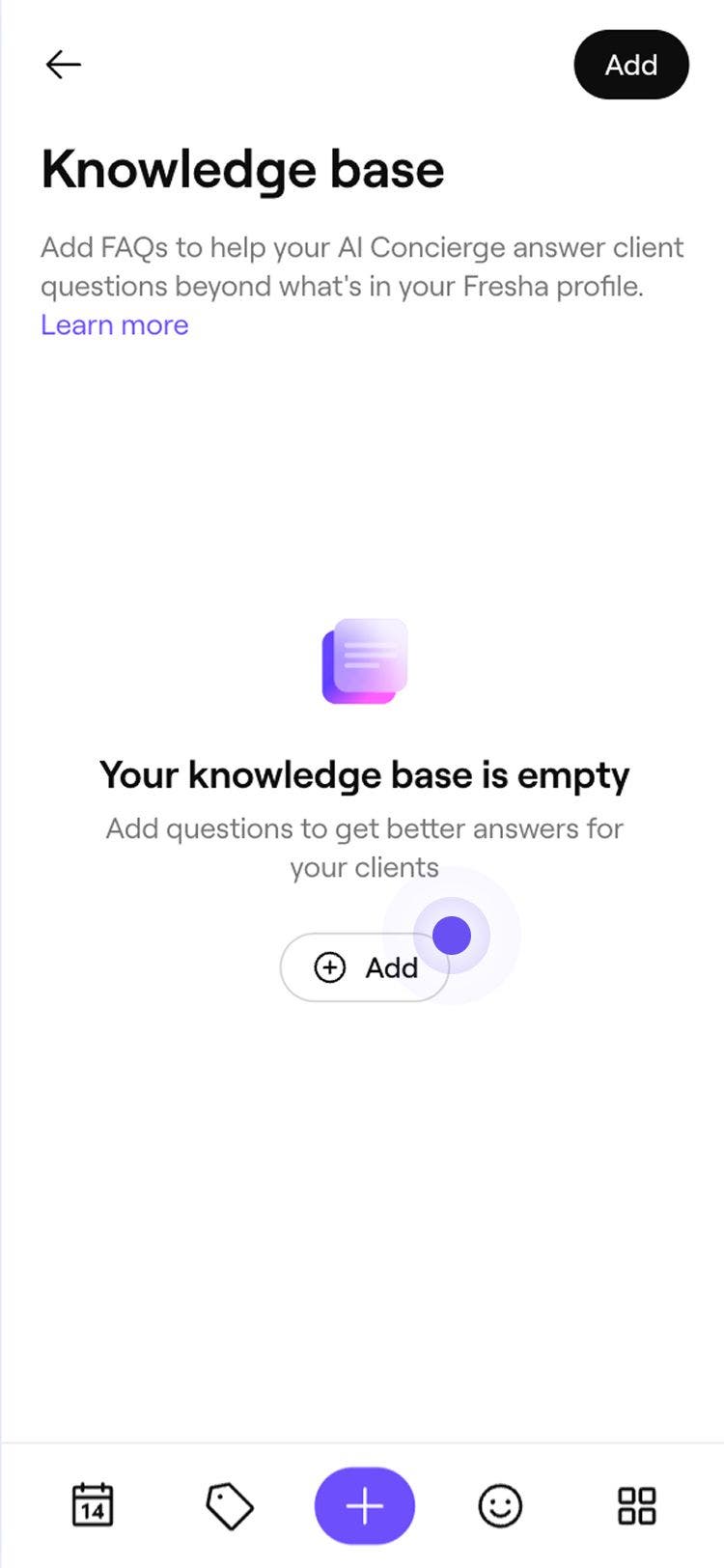
  4. Tap on the Add button to start building your knowledge base. knowledge_base_mob_4.jpg
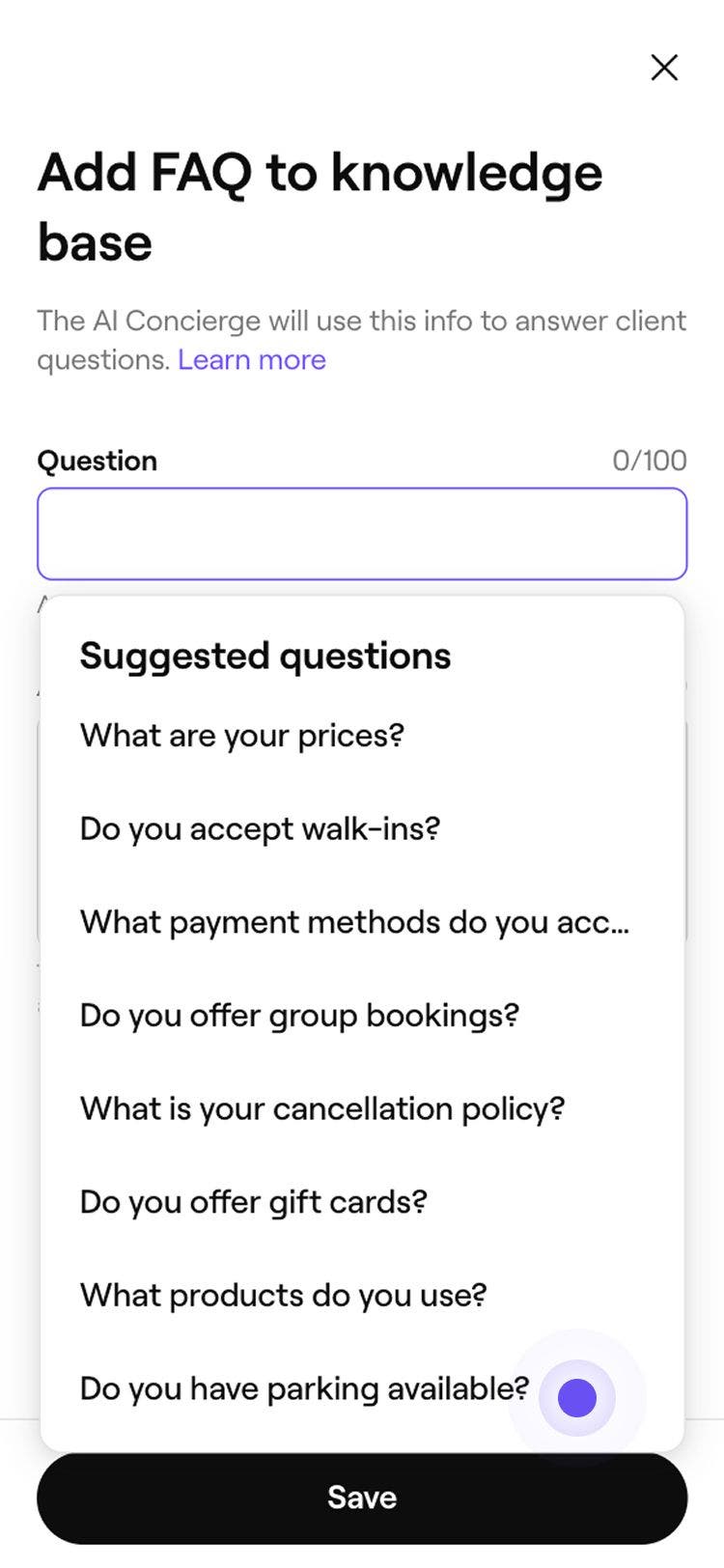
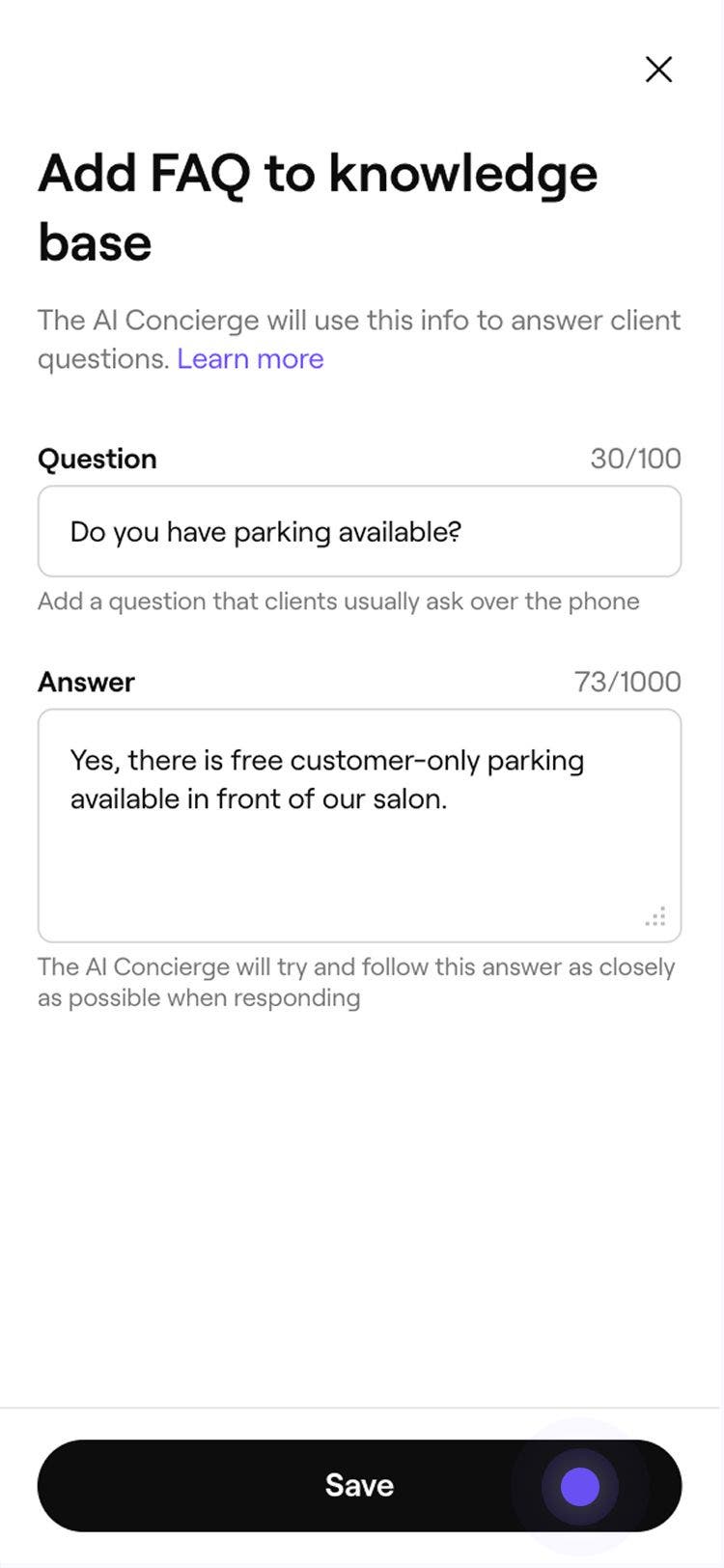
  5. Enter your Question, or use any of the suggested questions displayed. knowledge_base_mob_5.jpg
  6. Provide the Answer to the question above, your AI Concierge will try and follow this answer as closely as possible when answering the client.
  7. Tap on the Save button at the bottom of your screen to add the FAQ to your AI Concierge knowledge base. knowledge_base_mob_7.jpg
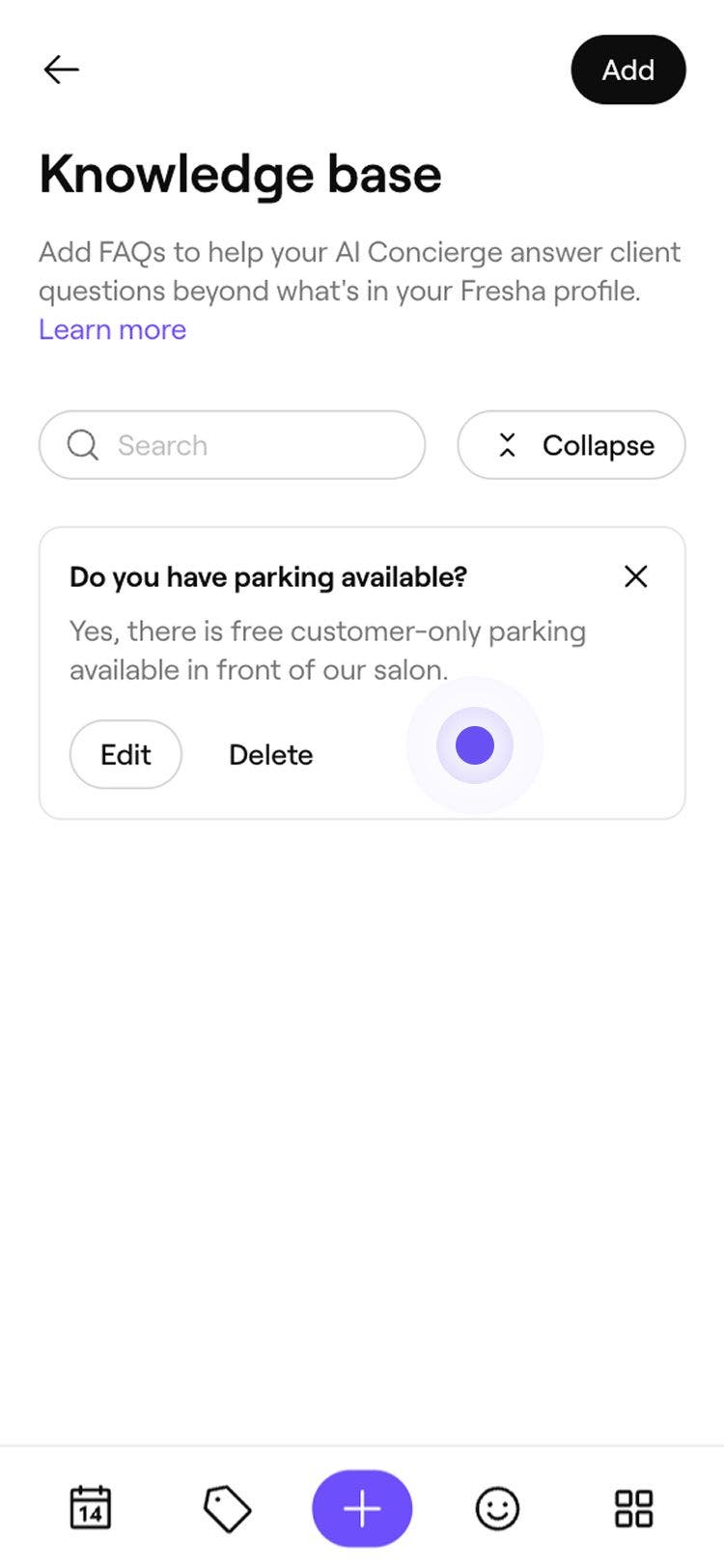
  8. Your FAQ will be recorded in your Knowledge base list, for your reference. knowledge_base_mob_8.jpg

Once you’ve added FAQs to the knowledge base, your AI Concierge will use these responses to answer relevant client questions.

If your business has multiple locations, use the dropdown menu to assign specific FAQs to the relevant location.

Get started with AI Concierge


Related articles

Was this guide helpful?

Get started with AI Concierge

AI Concierge overview

Never miss a booking with your AI Concierge that answers messages, schedules appointments, and handles client questions 24/7.

Set up your AI Concierge

Choose a plan and personalize your AI Concierge to start instantly responding to more clients.

Update your AI Concierge details

Customize your AI Concierge by selecting the tone and greeting style that best represents your business.

Customize AI Concierge appointment handling

Manage your AI receptionist controls, including what actions it can take when handling client calls.

Add to your AI Concierge knowledge base

Enhance your AI Concierge's knowledge base by adding customized answers to client common questions.

Related articles

Set up your AI Concierge

Choose a plan and personalize your AI Concierge to start instantly responding to more clients.

Set up call forwarding for your AI Concierge

Set up call forwarding from your business number to seamlessly redirect client calls to your AI Concierge.

Update call transferring details for your AI Concierge

Set up call tranferring for your AI receptionist, to seamlessly transfer client calls to members of your team.

Fresha
Get the app

About Fresha

Careers

Help and support

Blog

Sitemap

For business

For partners

Pricing

Features

Scheduling

Point of sale

Payments

Capital

Marketplace

Support

Status

Legal

Privacy Policy

Terms of service

Terms of use

Find us on social

Facebook
Linkedin
Instagram

© 2026 Fresha.com SV Ltd