Add to your AI Concierge knowledge base
Learn how to add answers to common client questions to your AI Concierge's knowledge base, helping it respond confidently to every inquiry.
About your AI Concierge knowledge base
Your AI Concierge connects directly to your workspace, with access to your services, schedule, and client list, allowing it to confidently handle client bookings.
To deliver a more personalized experience, it also uses information from your knowledge base. You can add your own answers to frequently asked questions from clients, such as parking, pricing, or what to expect when visiting your business.
Add FAQ’s to your AI Concierge knowledge base
- From the main menu on the left of your screen, go to Settings.
- In the Add-ons section, click on AI Concierge to update your settings.

- From the left menu panel, select Knowledge base to add to your AI Concierge's FAQ’s.

- Click on the Add button to start building your knowledge base.

- Enter your Question, or use any of the suggested questions displayed.

- Provide the Answer to the question above, your AI Concierge will try and follow this answer as closely as possible when answering the client.
- Click on Save in the top right of your screen to add the FAQ to your AI Concierge knowledge base.
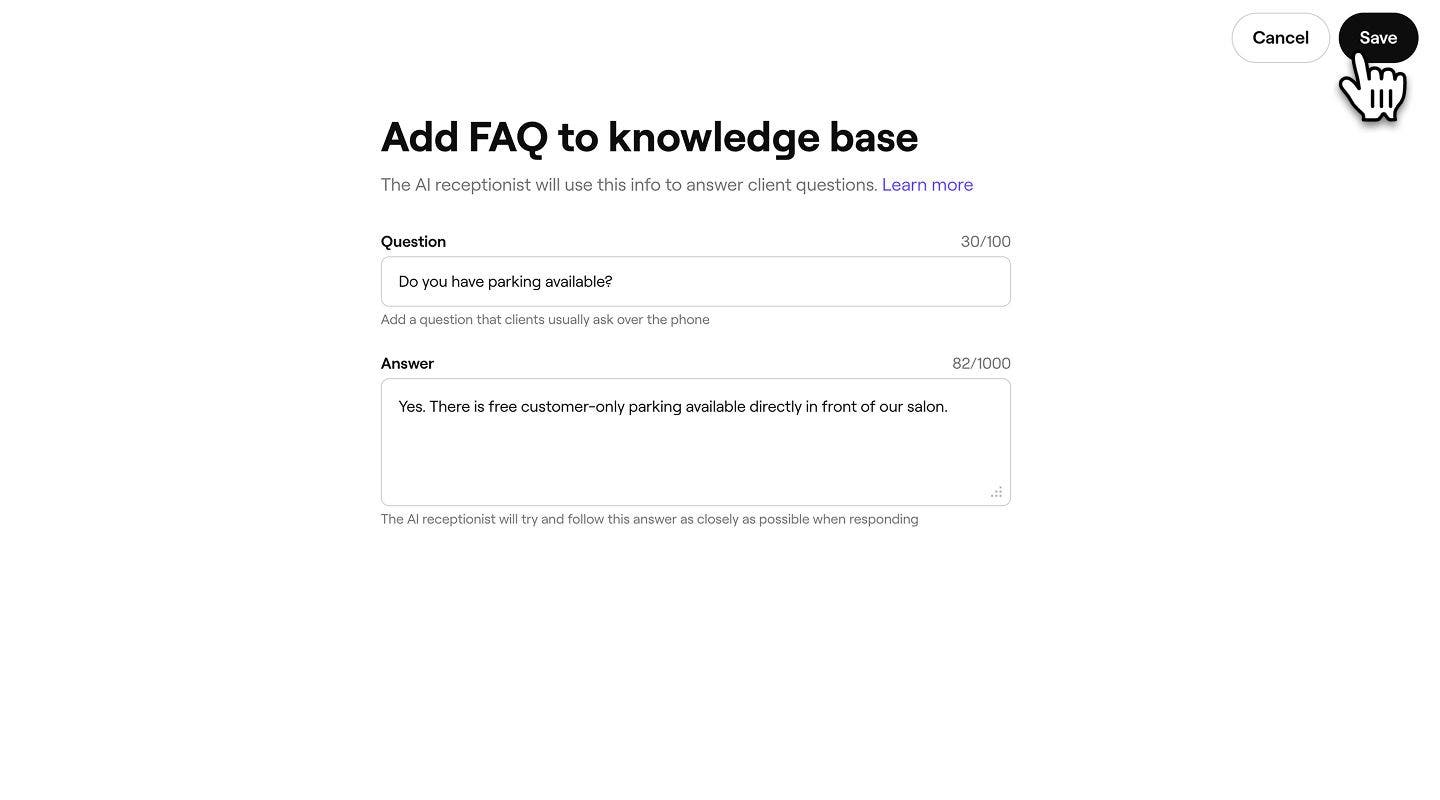
- You will see the FAQ recorded in your Knowledge base list for your reference.


Once you’ve added FAQs to the knowledge base, your AI Concierge will use these responses to answer relevant client questions.
If your business has multiple locations, use the dropdown menu to assign specific FAQs to the relevant location.