Manage receipt sequencing
Learn how to set receipt numbering for accurate tracking across your business locations.
In this article
How receipt sequencing works
Receipt sequencing lets you set receipt numbers in a specific order for accounting and tracking. This helps keep receipts organised when you operate multiple locations or use different registered business addresses.
Set up receipt sequencing
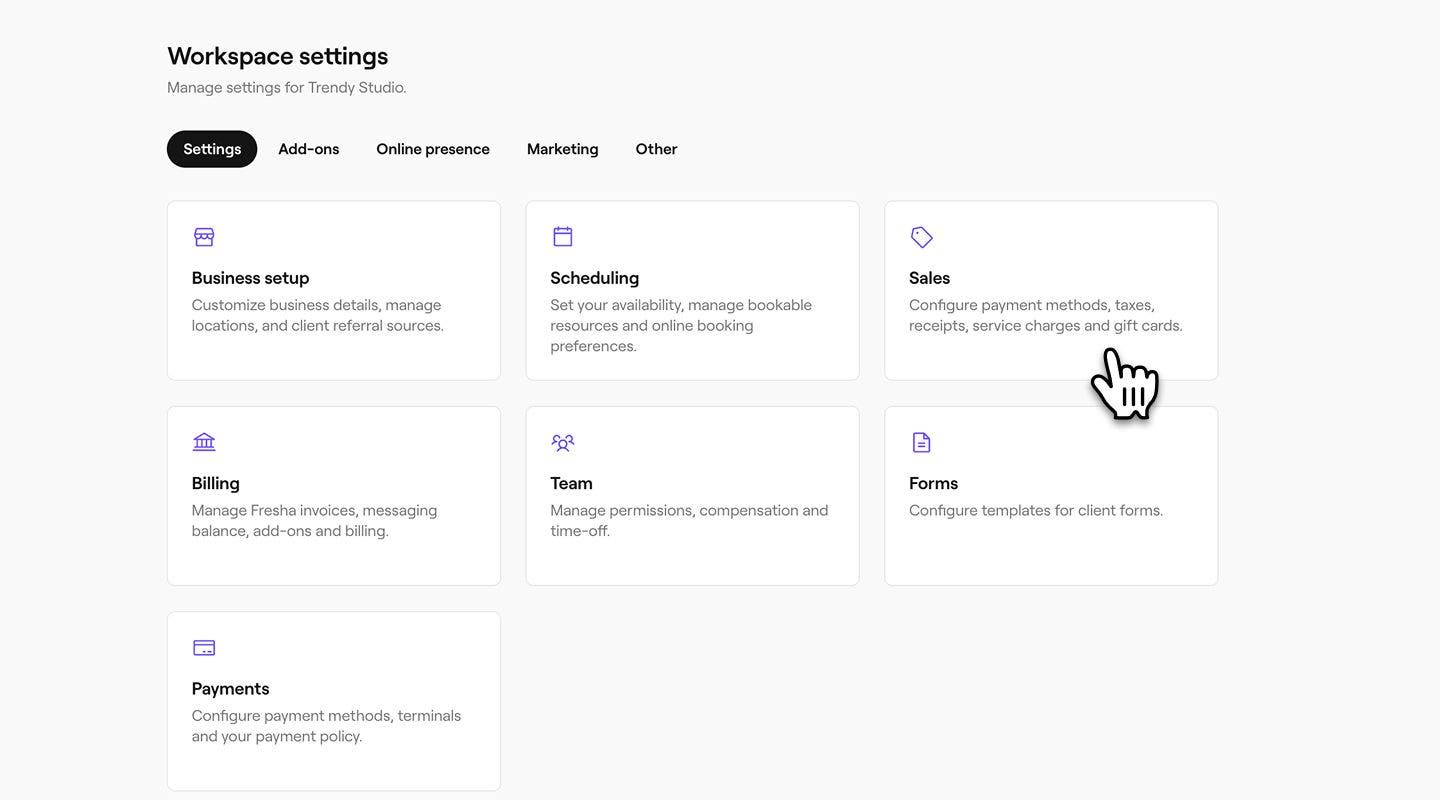
- From the menu on the left of your screen, go to Settings.

- Click on the Sales category to manage your receipts.
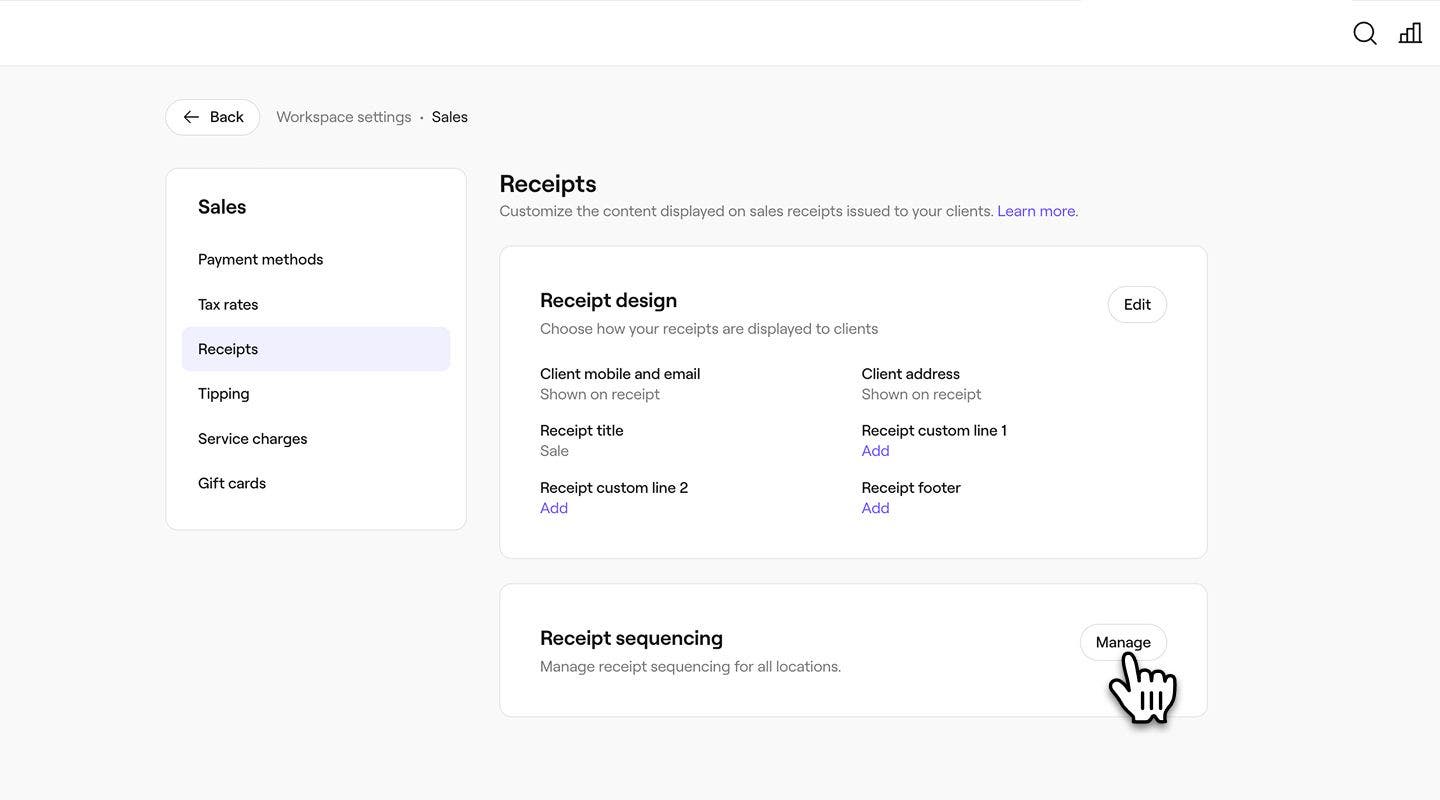
- In the left menu, select Receipts to manage your sales receipts.
- Click on the Manage button next to Receipt sequencing.
- Next to each location, enter the following:
- Receipt No.Prefix: A fixed value added to the start of every receipt number for that location, such as a store code or identifier.
- Next Receipt Number: Sets the starting number used for the next sale receipt. Each new receipt then increases automatically from that number.
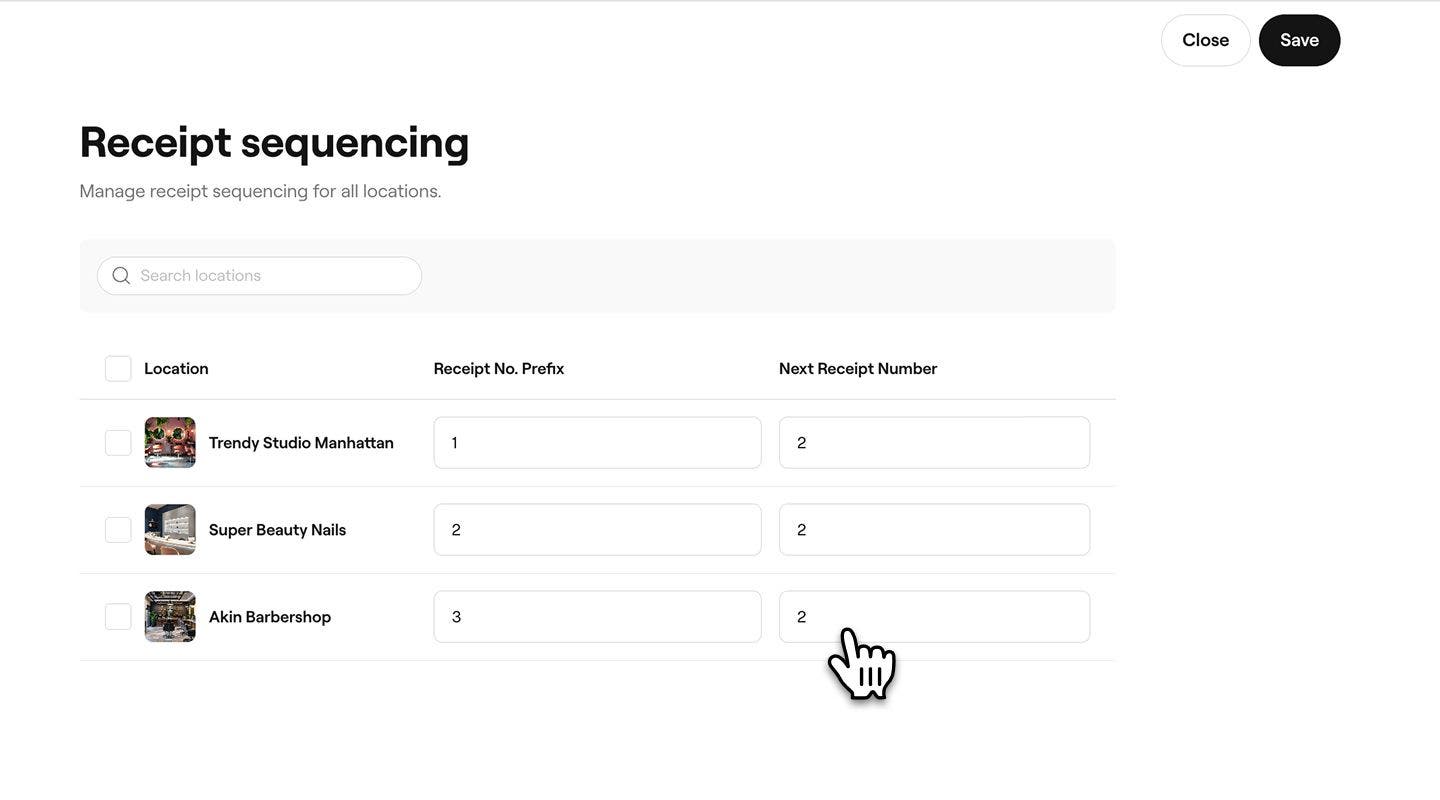
- Click on the Save button in the top right to save the updates
Once a receipt number has been used, it cannot be decreased, as it has already been assigned. if no sale has been raised on the account yet, you can change it to a lower number by following the same steps.