Update your AI Concierge details
Learn how to customize your AI Concierge, by choosing their tone and greeting style to best represent your business.
Your AI Concierge's voice, name, and greeting are set during initial setup. You can update them at any time under your Workspace settings.
-
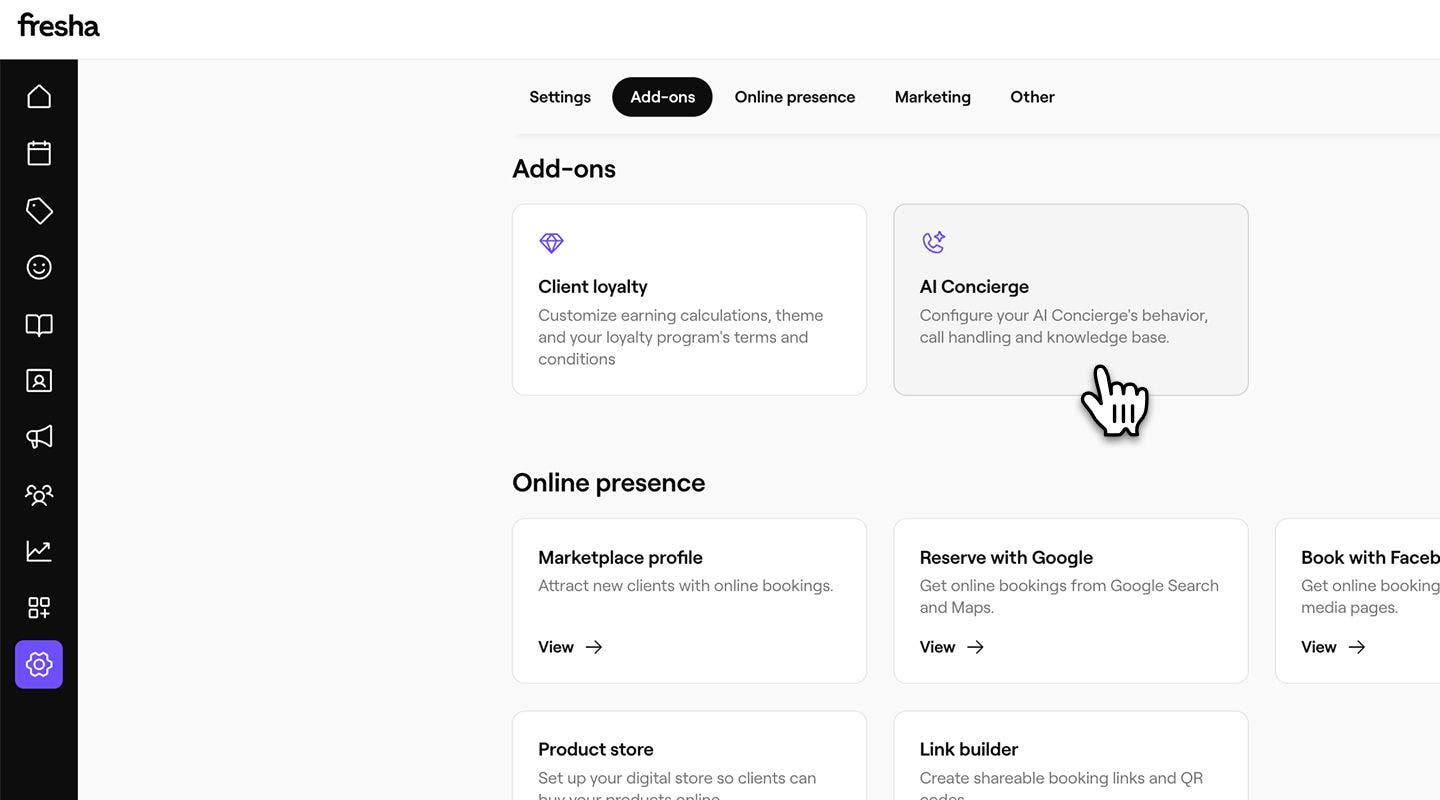
From the main menu on the left of your screen, go to Settings.
-
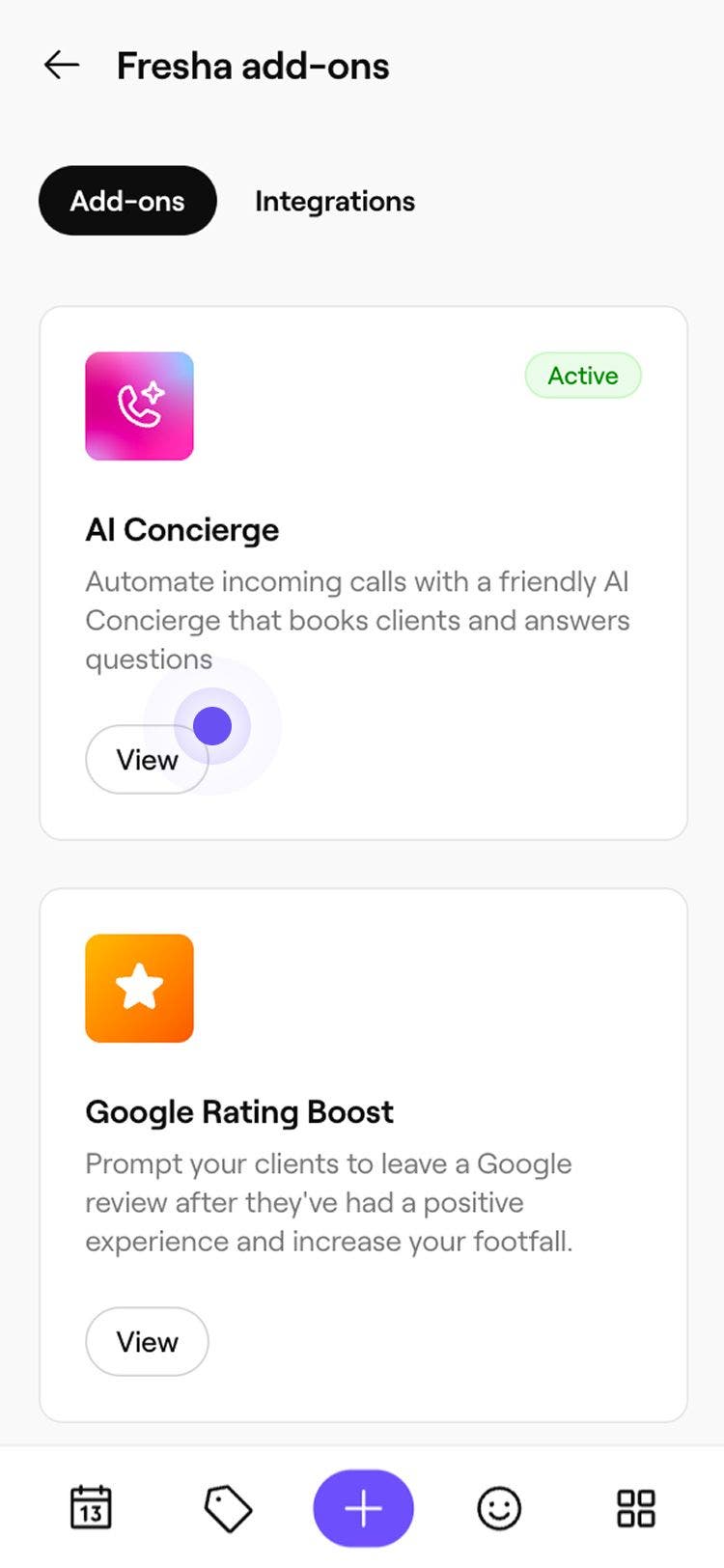
In the Add-ons section, click on AI Concierge to open their details settings.
-
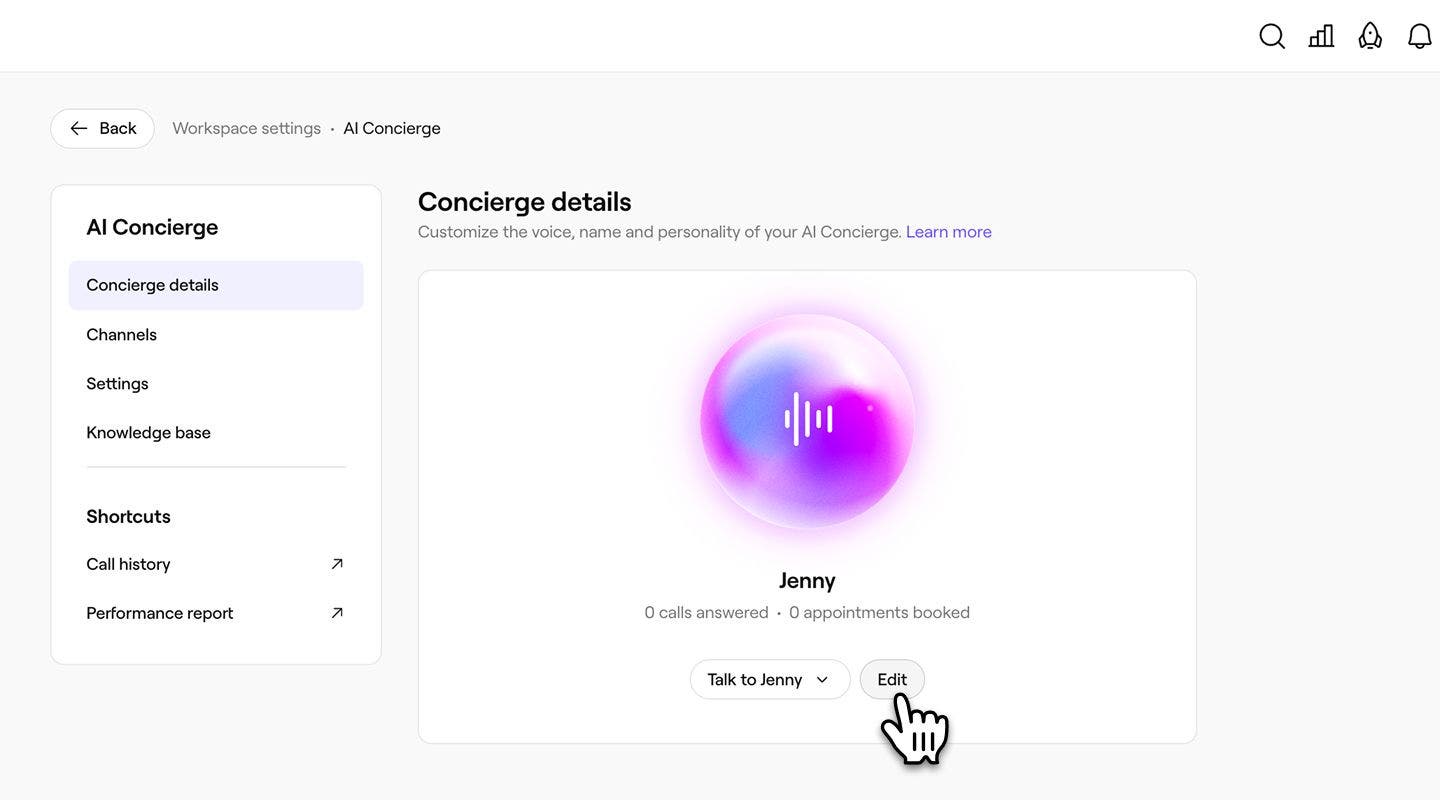
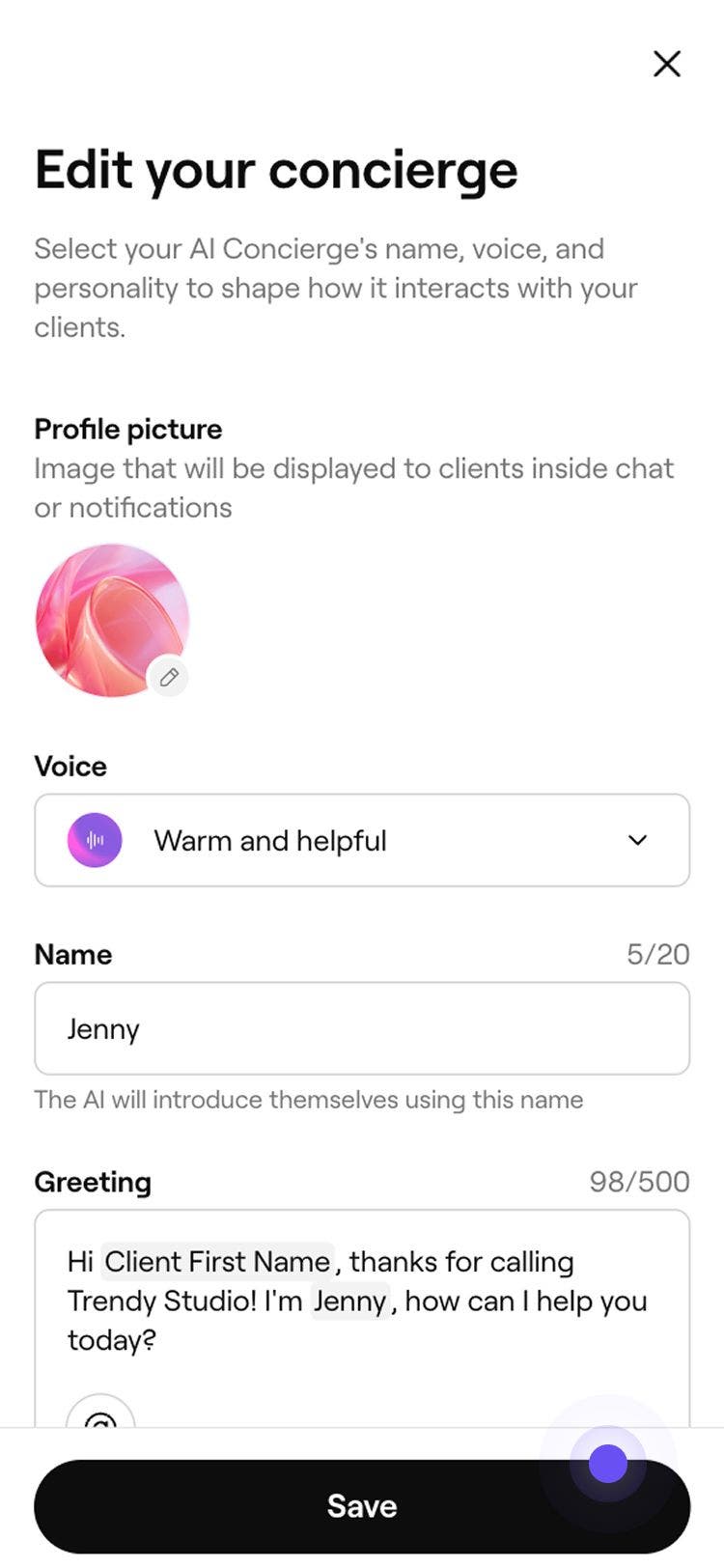
Under your AI Concierge, click on the Edit button to update the name, voice, and personality.
-
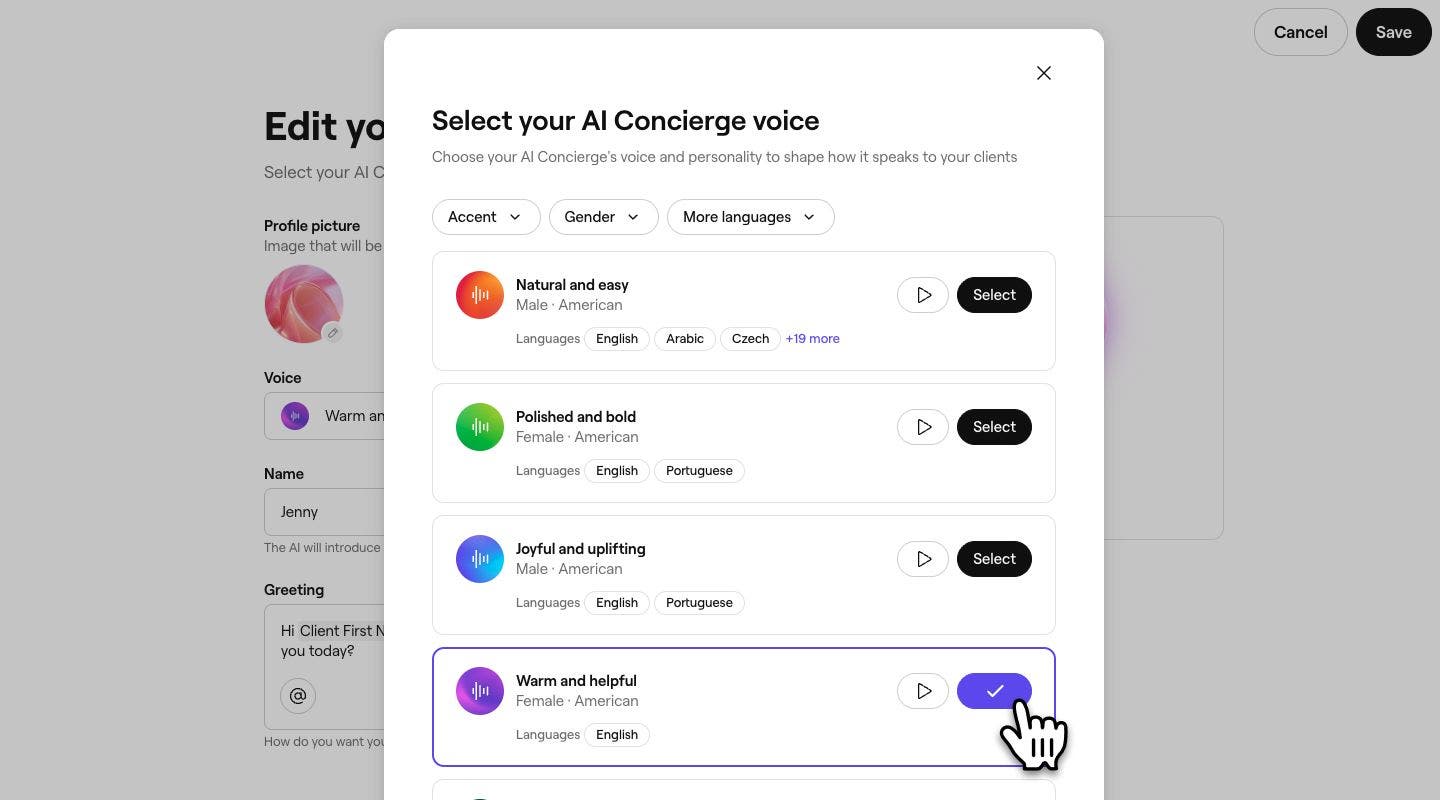
From the list of available options, click Select next to your preferred tone and voice and click Continue. You can filter by Gender, Accent and More languages to see which voices support your chosen languages. Click on the Play button to hear a sample of each voice.
-
Customize your AI Concierge by updating its name and a Greeting to shape how it introduces itself to clients.
- To preview the greeting, click on the Preview button under your AI Concierge.
-
Click on Save in the top right of your screen to update your settings.
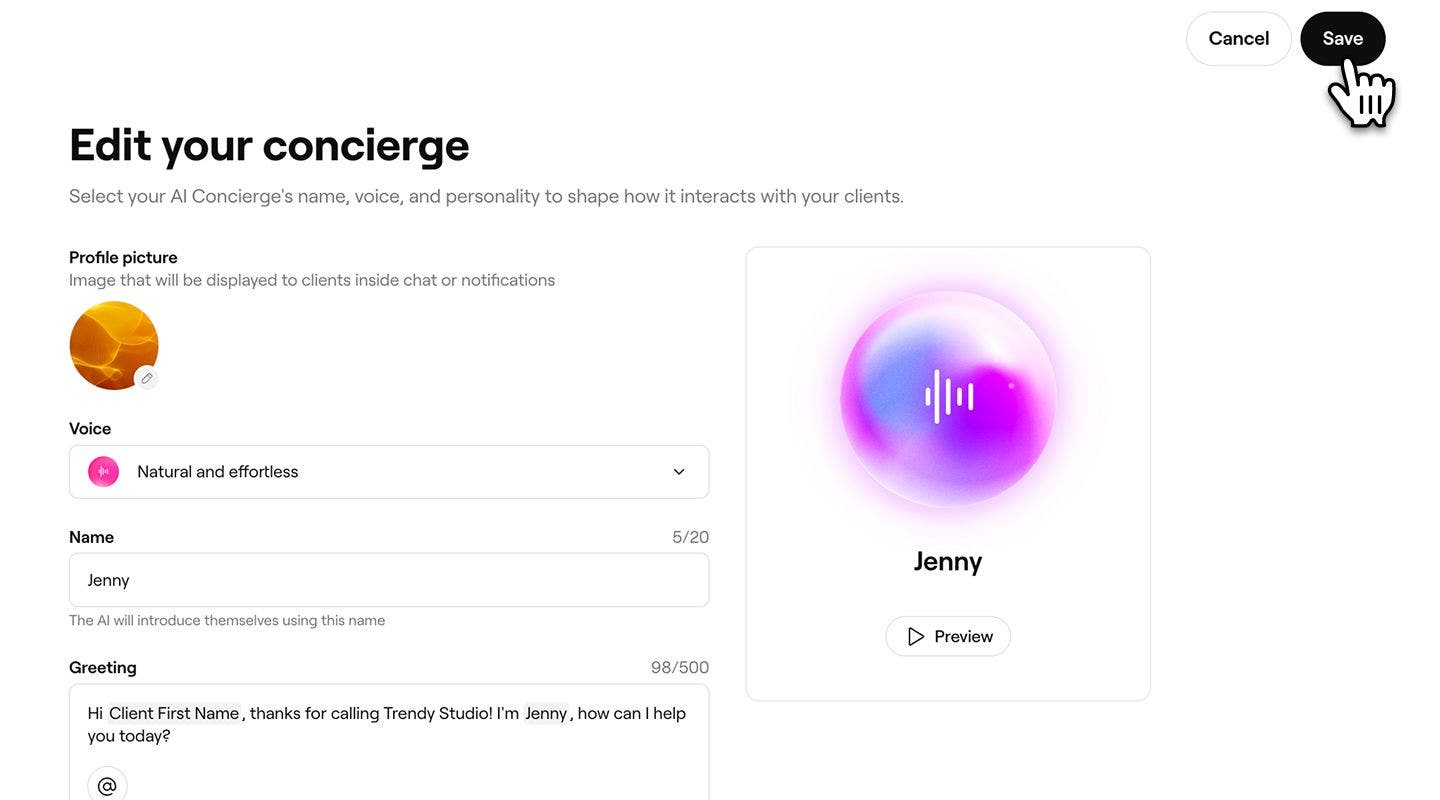

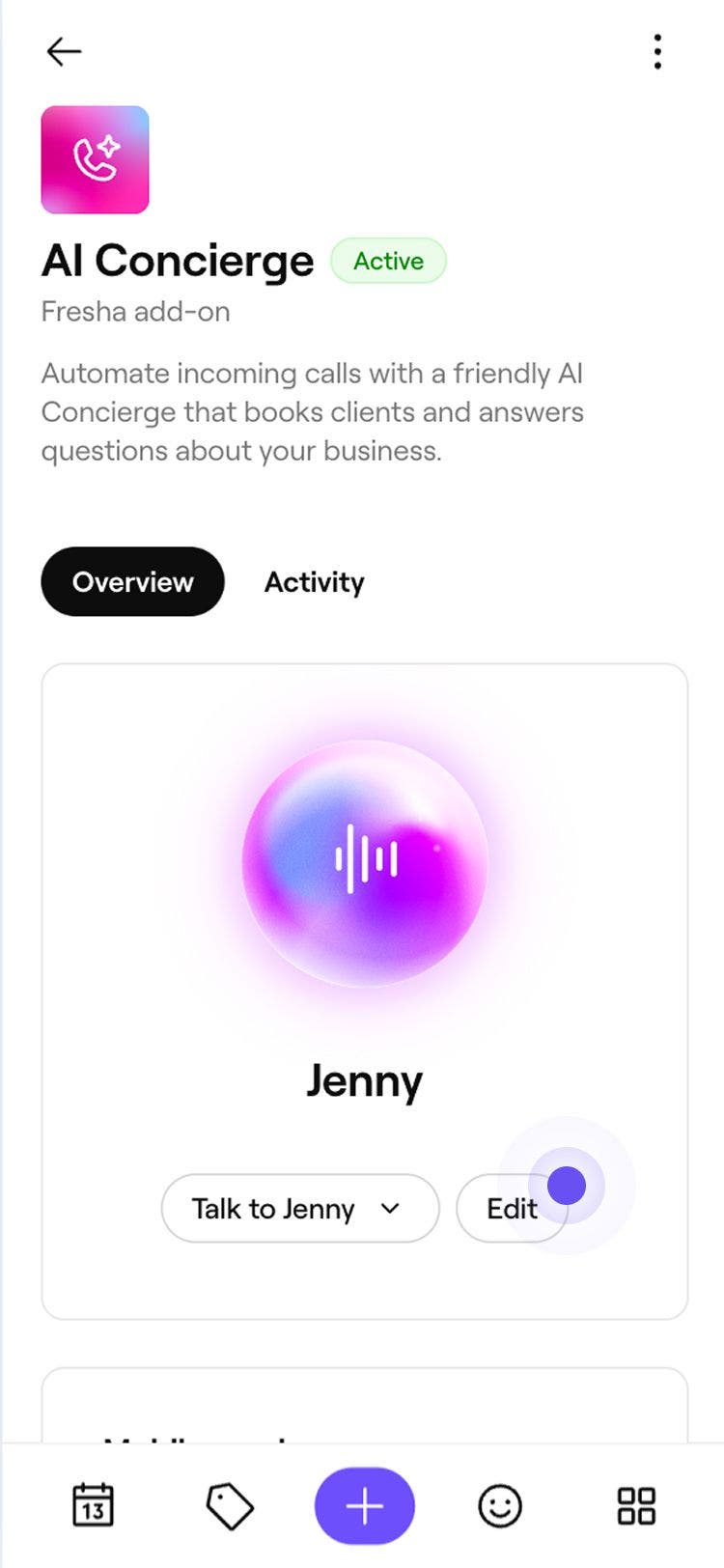

Once you update your AI Concierge's tone and personality, the changes take effect immediately and apply to all incoming client calls. You can test how this sounds to clients, by selecting Talk to your AI Concierge under Concierge details.
If you have multiple locations, your AI Concierge settings, including name, tone, and greeting, are shared across all locations.
FAQs
To ensure a consistent experience across your business, the AI Concierge's tone and persona you select during setup will apply to all locations.